Blackbaud Payment Checkout form Issues with Countries




Hello,
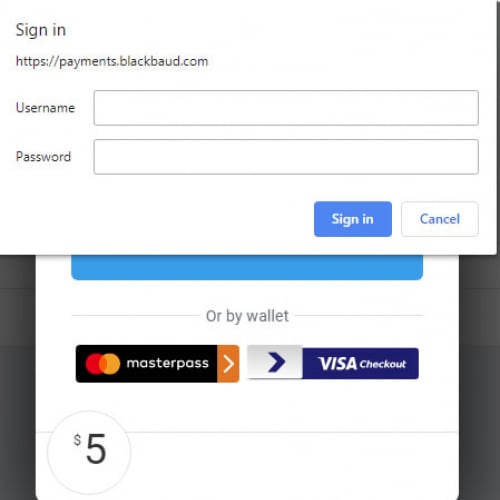
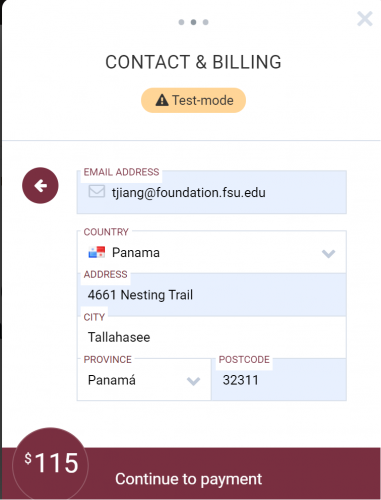
We are using Blackbaud Payment Checkout form as below. We find an issue in our Great Give day that we cannot save a transaction with country name chosen as Panama. The reason is the country name returned from BBMS is automatically changed to ‘Canal Zone’ and the province is set to empty.
My question is why donor chose Panama as country and Panama is province, they are changed to ‘Canal Zone’ and empty in the returned BBMS transaction info object?
After we manually change them back to Panama, we can save it to CRM batch.
Thanks,
-Tiehu
Comments
-
Hi Tiehu
Thanks for the message - we will investigate this.
To confirm - has this prevented you from accepting payments, or are the payments successfully processed and you are unable to import into CRM afterward?
Thanks.
0 -
Hi, Mina,
Thanks for the reply. Yes, the transaction was successfully processed in BBMS. But due to the returned country name is ‘Canal Zone’ that does not match any country in our CRM, we cannot save the transaction to CRM batch. We have to manually change the country name to ‘Panama’ in Spark transactions table and rescue the transaction (a custom function that can directly read a specified transaction and save it into CRM batch bypass the donation form).
-Tiehu
0



Categories
- All Categories
- 6 Blackbaud Community Help
- 211 bbcon®
- 1.4K Blackbaud Altru®
- 402 Blackbaud Award Management™ and Blackbaud Stewardship Management™
- 1.1K Blackbaud CRM™ and Blackbaud Internet Solutions™
- 15 donorCentrics®
- 360 Blackbaud eTapestry®
- 2.6K Blackbaud Financial Edge NXT®
- 655 Blackbaud Grantmaking™
- 577 Blackbaud Education Management Solutions for Higher Education
- 3.2K Blackbaud Education Management Solutions for K-12 Schools
- 940 Blackbaud Luminate Online® and Blackbaud TeamRaiser®
- 84 JustGiving® from Blackbaud®
- 6.7K Blackbaud Raiser's Edge NXT®
- 3.7K SKY Developer
- 248 ResearchPoint™
- 119 Blackbaud Tuition Management™
- 165 Organizational Best Practices
- 240 Member Lounge (Just for Fun)
- 34 Blackbaud Community Challenges
- 37 PowerUp Challenges
- 3 (Open) PowerUp Challenge: Grid View Batch
- 3 (Closed) PowerUp Challenge: Chat for Blackbaud AI
- 3 (Closed) PowerUp Challenge: Data Health
- 3 (Closed) Raiser's Edge NXT PowerUp Challenge: Product Update Briefing
- 3 (Closed) Raiser's Edge NXT PowerUp Challenge: Standard Reports+
- 3 (Closed) Raiser's Edge NXT PowerUp Challenge: Email Marketing
- 3 (Closed) Raiser's Edge NXT PowerUp Challenge: Gift Management
- 4 (Closed) Raiser's Edge NXT PowerUp Challenge: Event Management
- 3 (Closed) Raiser's Edge NXT PowerUp Challenge: Home Page
- 4 (Closed) Raiser's Edge NXT PowerUp Challenge: Standard Reports
- 4 (Closed) Raiser's Edge NXT PowerUp Challenge: Query
- 796 Community News
- 3K Jobs Board
- 54 Blackbaud SKY® Reporting Announcements
- 47 Blackbaud CRM Higher Ed Product Advisory Group (HE PAG)
- 19 Blackbaud CRM Product Advisory Group (BBCRM PAG)