In
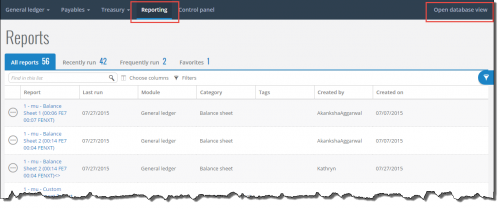
Financial Edge NXT, you run reports from the Reports page.
As you run reports in Financial Edge NXT, you may want to change the report parameters. For example, perhaps you want to run a general ledger report that includes account activity for the current fiscal year instead of the last fiscal year. To do that, simply go to the report’s parameters in the database view, and make that change.The report parameters you set up and maintain in the database view, also appear Financial Edge NXT, and you can easily move back and forth between the two views when making changes. To access the database view from
Financial Edge NXT, select
Open database view on the toolbar.
 Here is a short video showing how you just
how easy it is to update report parameters in the database view, and then run the report in
Financial Edge NXT.
