With this release, we continued adding attachment functionality to records in
Financial Edge NXT. You can now add attachments directly from the Add forms, under
Attachments, as you create new vendors, projects, grants, and deposits.
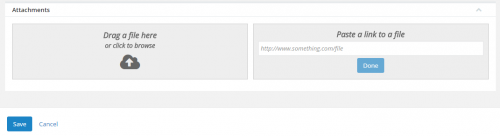
This is a nice time saver, because previously, you could add attachments only from the Attachments tile on these records
after they were saved. Now you can add attachments at the same time you create the record. For more information about attachments, see
Attachments.
One thing to keep in mind when adding attachments, you must select an active attachment type. If you don’t see the type you want in the Attachment type field, you must add a new type (or make an existing type active) from the database view. This is really easy to do – you just have to find the right Tables page in Configuration. For example, to add new invoice attachment types in the database view, go to Accounts Payable, Configuration, Tables, Media Type. For more information, see
Attachment Types.
In future releases, we plan to add attachment functionality to credit memos and purchase orders.
