This release of
Financial Edge NXT includes the ability to post the Payables subledger, as well as a
Journal Entry Excel Add-in enhancement.
Post subledgersTo validate and post transactions from the Payables subledger, select
General ledger,
Post subledgers. When you post, all valid transactions post to the general ledger, and appear in the Post Report for you to view amounts spent or received for a specific time period.
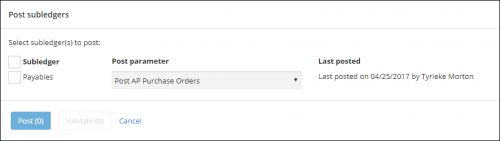
We will add the ability to post Cash receipts in an upcoming release. For more information, see
Post Subledgers.
Journal Entry Excel Add-InWith the
Financial Edge NXT Journal Entry Excel Add-In, you enter transactions in a Microsoft
Excel spreadsheet and then submit as a new journal entry batch to
Financial Edge NXT. This integration enables flexible data entry (in bulk) and saves time, especially when entering similar data.
With this release, you can now enter up to 1000 rows of distributions within a single spreadsheet when using the Excel Add-in. Keep in mind, this enhancement applies only to the 2016 desktop version of
Excel at this time.
For more information. For more information, see
Journal Entry Excel Add-In.
