This week’s release of
Financial Edge NXT includes the following enhancements:
Void and delete payments. You can now void and/or delete payments from the
Pay invoices tile on the bank account record. Types of payments you can now void/delete include computer checks, EFTs, bank drafts, and manual checks.
For more information about voiding payments, see
Void Payments. For more information about deleting voided payments, see
Delete Voided Payments.
Record manual check. You can now record manual checks in
Financial Edge NXT from the invoice record. A manual check is a handwritten check used to make a payment.
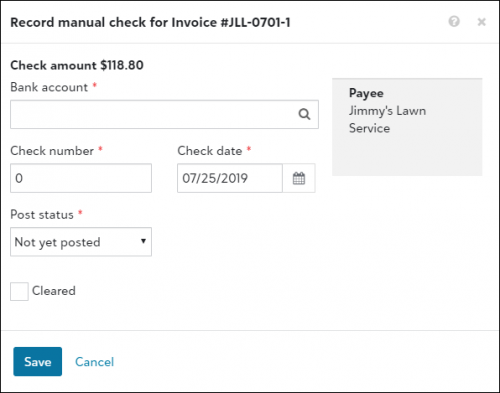
For more information, see
Manual Checks.
Expense management enhancement. The User settings page is now located under
Expenses,
Settings. From here, you can view and manage default settings, such as approval rules and GL distributions. For more information, see
Edit User Settings.
Receivables (EAP). Receivables released as a part of our Early Adopters Program (EAP), and available only to a limited group of users. Throughout the EAP, we'll continue to enhance and improve
Receivables.
To catch up on what we’ve recently released, check out
What’s Recent.