To modernize and stay current with the latest software standards, we are making updates to the look and feel of
Financial Edge NXT. These updates should not disrupt your current processes, but you will likely notice slight changes in navigation, or how information is presented on a record. For example, here are the updates we made to
Reporting last month.
With this release, we made the following updates to
Fields and tables settings, under
Control panel.
Navigation and menu options
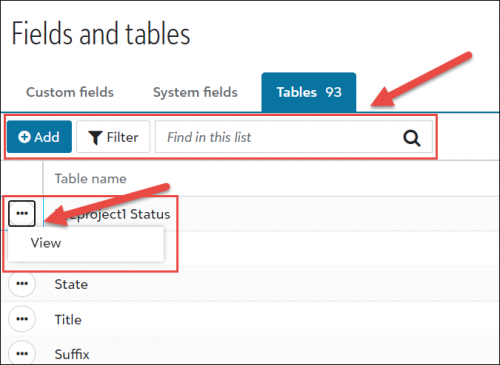
- We updated the toolbar actions with new labels to make them easier to locate.
- To open and view a table, you now select View from the context menu.
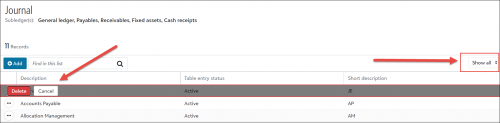
- When viewing table entries on the Tables page, you now access the filter options above the list on the right hand side of the page (as shown below). Your filter options include Show all, Active, or Inactive.
- When you delete an item from the list, the delete confirmation now appears directly on the list item, instead of opening a new window.
 What’s coming next?
Our next release will focus on the
General ledger settings under
Control Panel. We will post a preview of these changes on the
What’s Next help topic very soon!
