Hey everyone! Today we want to highlight an enhancement just added to
Financial Edge NXT this week. In Expense management, we added the
All invoice requests tile.
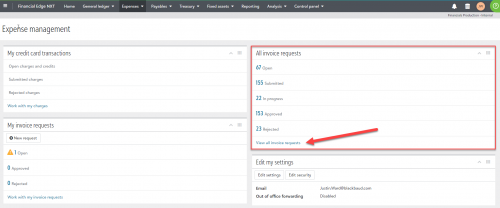
This new tile allows you to easily view the status of all your invoice requests. This helps you see what’s in the pipeline so that you can intervene as necessary, and know if it’s safe to close month-end.
From the tile, select
View all invoice requests to open the All invoice requests page.
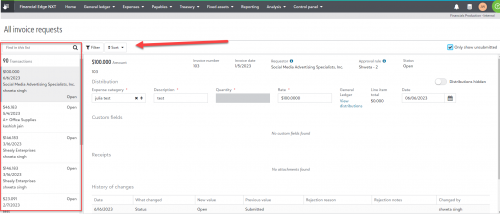
To quickly locate a specific invoice request, use the search or filter the list. You can also sort transactions by amount, status, or vendor. Use the icons next to the transactions in the left panel to easily identify the transaction status.