You can easily add a picture to your discussion posts in Community.
After you start a discussion, the editor will pop up and you can type your question and click the photo upload button to add a picture of the issue you are having or an image that will help illustrate your question.
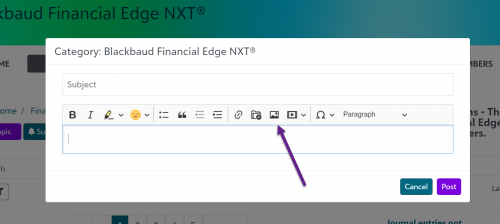
The title you choose will act as the hover text on the image in the post.
You can also link your image to a specific URL if you want to route people to a certain place with your picture.