@Carolyn Grant
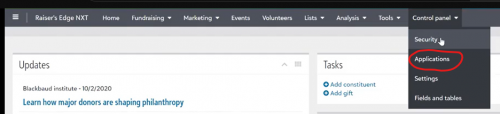
I am able to follow the instruction in this youtube video until Min 7:12. I cannot see Applications under Control Panel.( Red Circle in Picture below) Would you please point me to the right direction? Thank you
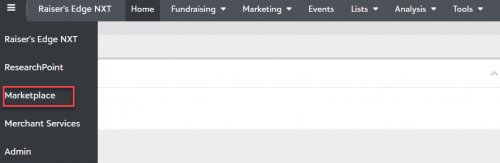
Hi @Viet Truong, that looks like it may be outdated. You'll want to access that part through the Marketplace
There, you'll be able to connect your app using the application ID.
@Viet Truong - I also wanted to add that you should review everything Power BI on this page.
It has updated videos and tutorials. Thanks Matt for responding. Matt is the export Power BI person. I am still working on using the connector in Power BI the way I want and this is 2023.
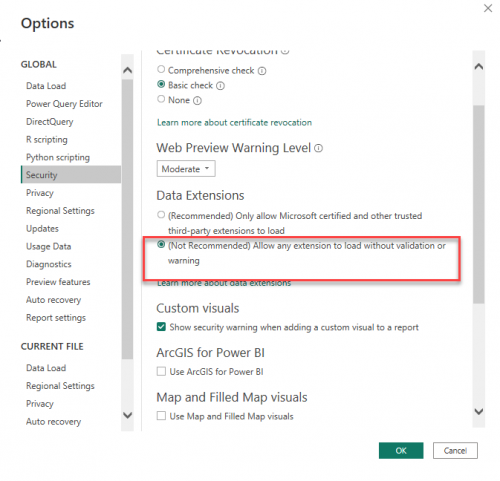
@Viet Truong, in your Power BI Desktop application, go to File → Options and settings → Options, and change the Data Extensions radio button to “allow any extension.” The Blackbaud connector is not a “certified” connector, so it doesn't appear with the default security settings.