Summary
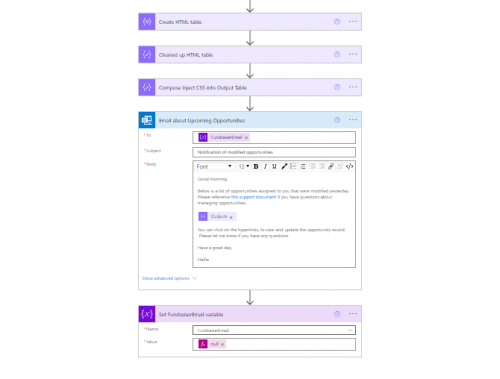
This flow sends a notification email monthly (on the 25th) with upcoming opportunities. The digest includes summary information about each upcoming opportunity as well as hyperlinks to the opportunity and constituent records.
Required Connections
Blackbaud Raiser's Edge NXT Constituents
Blackbaud Raiser's Edge NXT Prospects
Outlook
Suggested Skill Level
Beginner
Configuration Needs
- Start in NXT by building an Opportunity list for the flow. My version of this list looks for Opportunities assigned to a specific fundraiser with an ask date next month.
- While importing the flow into your environment, configure your connections to the RE NXT Constituents and Prospects new connectors, and Outlook.
- Enter your Org's unique Environment ID into the "Initialize Environment ID Variable - String" action in the "value" field. If you are confused on where to find your Environment ID take a look at any URL from your Web View Environment it is the string of numbers and letters after "envid=" and before the "&svcid=renxt".
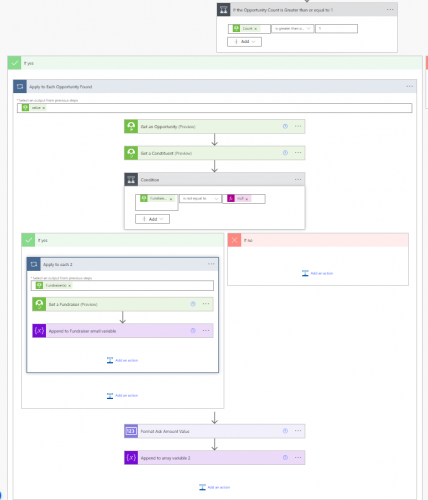
- Select your previously created Opportunity List in the "List Opportunities from NXT" step.
- Review the digest code in the "Apply to Each Opportunity Found" Loop > "Append to array variable 2"; add/remove elements to match your organization's preferences.
- Edit the notification emails on both sides of the conditional - recipient email, message body, and "advanced options" reply to email.
Troubleshooting Tips
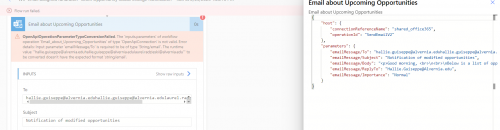
- Format Number tends to ‘break’ frequently when editing this flow. If you get an error that involves this element - delete the listing and re-add it to the flow; then update the listing in the “Append to array variable 2” element.
Edits: updated the flow to include the new connectors and changed the hyperlink syntax for the digest table; updated the body of this post to match the changes. If you have any questions, post them here.
Edits 2026: removed extra loops that didn't do anything, and cleaned up confusing parts of the flow. Shared a new version of the flow