Hello,
For some reason my trial balance does not match the PL. somehow accounts do not properly rollup to the PL. Where do i go to review these kind of account settings?
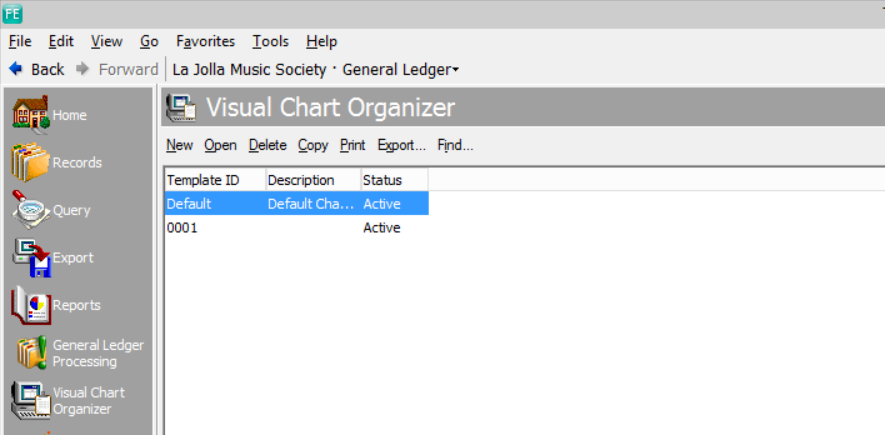
Look at the Visual Chart Organizer (VCO) if you are using one for the P/L.
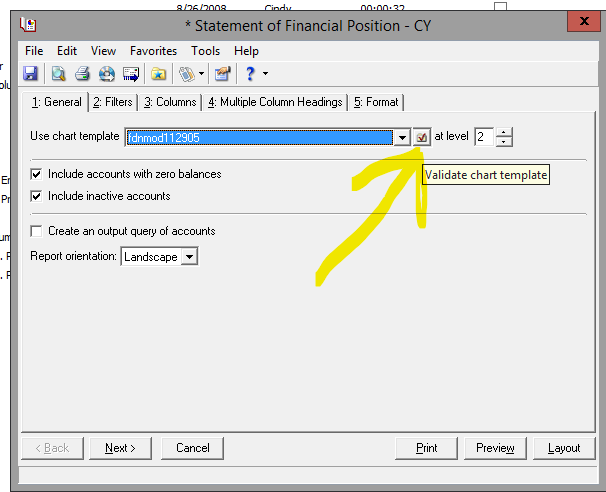
On the P/L you can click the folder with the red check and it will show you all the accounts that are not being included in the report.
When you open the P/L report is is linked to one of those Chart Organizers? In the picture that I posted with the big yellow arrow ….before you run the P/L report you can click on that folder with the red check and see what accounts are not being included. You can add any missing accounts to the Chart Organizer (if they are needed).
You can also check the parameters of your reports, for instance are you including Regular and Encumbered transactions on one report but not the other?
You can also create a query to find transactions of a certain amount. the amount would be the difference between the two reports. This has helped me several times.
Hi Joe, Also between the Income Statement and the Trial Balance, the dates are important for the roll up as the mock close on each report functions slightly differently. They outline the detail here :
Essentially the Trial Balance won't show the roll up till the 1st day of the new fiscal year. So if your fiscal year ends on 6/30 , then the Trial Balance roll up will show as the beginning balance on 7/1 of the new fiscal year.