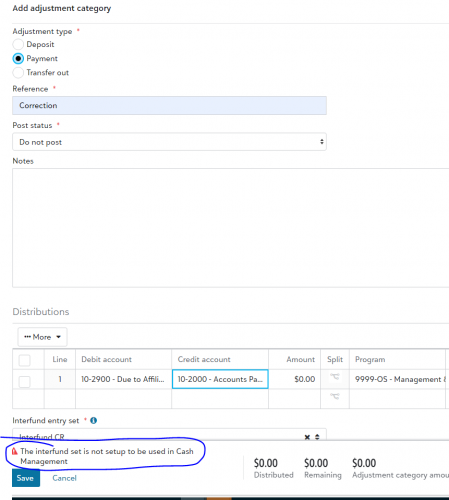
Add adjustment category - error message: Interfund set is not set up to be used in Cash Mgmt

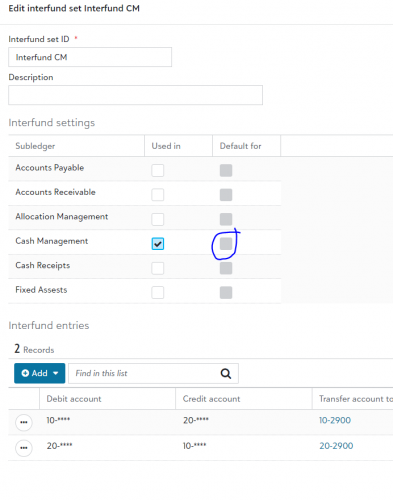
Hi I’m trying to create a new adjustment category in a bank account, but I got an error saying the interfund set isn’t set up for Cash Management. When I checked the interfund settings, the “Default for Cash Management” checkbox was greyed out. How can I fix this? Thanks!
56aee333e6a9b212515870dd6c6430b3-huge-im
38144ccb7f8bc0d121ed65e9292cebb8-huge-im

Comments

  • Brian Riesen
    Brian Riesen Blackbaud Employee
    Ninth Anniversary Kudos 1 Name Dropper Participant

    @Sabrina Wong I checked support's KB and it mentioned checking the AP Config page, Interfund settings. It may not be configured for this subledger yet.

    To enable the Cash Management checkbox for an Interfund set in a Bank Adjustment transaction or when voiding a payment, you need to access the Accounts Payable Configuration page. From there, navigate to Interfunds, open the specific Interfund set, and go to the Blackbaud Systems tab. Once there, make sure to mark the Cash Management checkbox and save the changes. This should resolve the issue of the Cash Management checkbox being grayed out for the Interfund set.”


    source:

Categories