Description: Scheduled export of NXT Standard Report (as PDF) to SharePoint
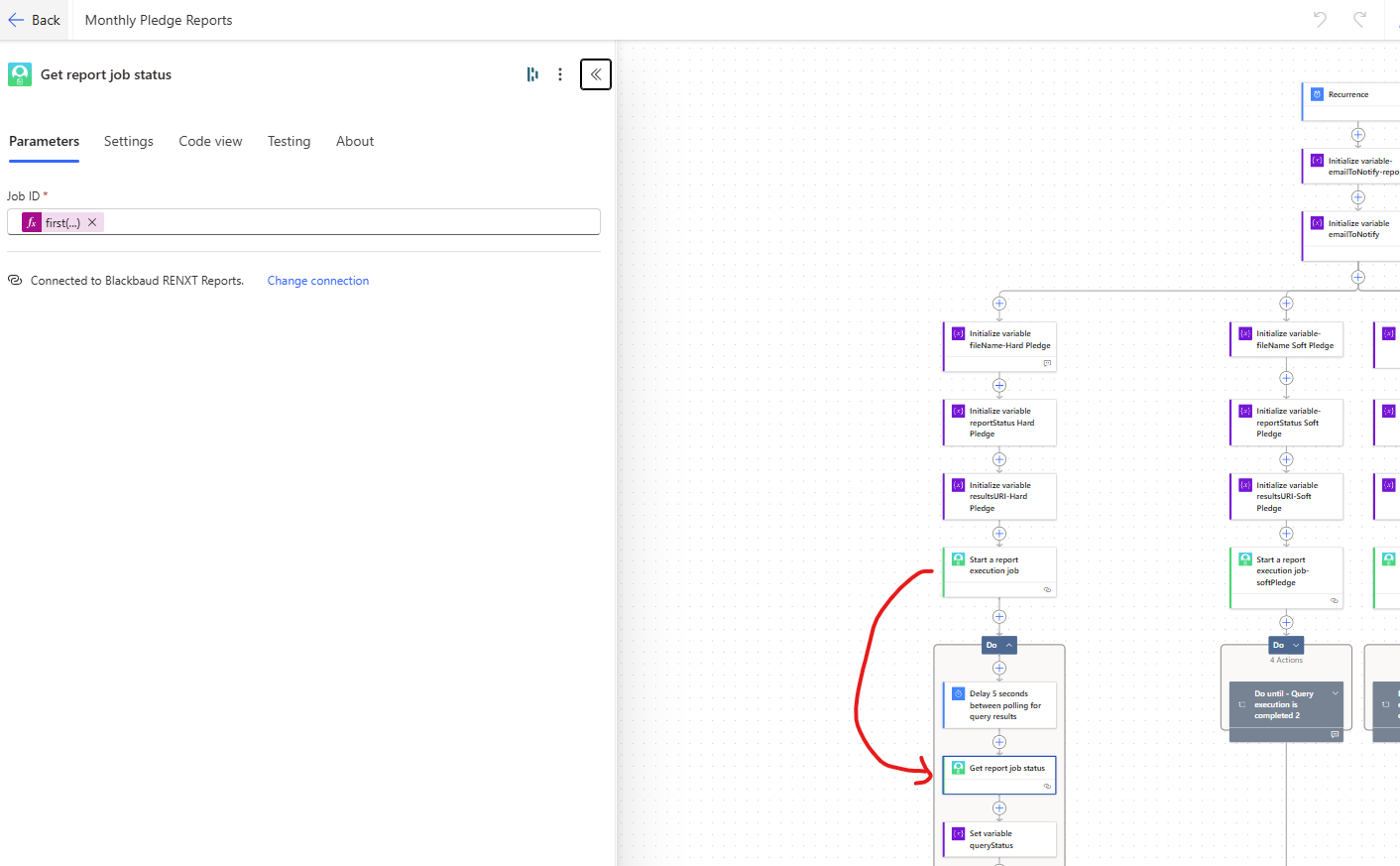
This flow takes a saved NXT Standard Report & exports the PDF on a schedule. This is set up for PDF exports to SharePoint.
Required Connections: Blackbaud RENXT Reports, Office 365 Outlook, SharePoint
Suggested Skill Level: Basic
Configuration details: You'll want to:
- set the email addresses for failures and for success notifications (initialize variables emailToNotify-report and -error)
- Choose your file name schema
- Choose your report type (mine is Pledge Status Report) and have a saved standard report that has the parameters you want (this is ‘Report Instance’ in the ‘Start a report execution job’ action
- Choose your SharePoint site to save the file to (Create File and Get File Properties actions), and
- Update your reporting email copy.
Category: automation
Instructions: steps in this flow are:
- initial trigger (schedule)
- Start report
- Check status on report until it is complete
- Save PDF to SharePoint
- Send an email to your reporting group
- If report fails, sends email to whoever is identified as needing notice of failure.
RENXTStandardReportsscheduledPDFexport_20250722150017.zip