This week,
Raiser's Edge NXT introduces a new option to add participants to events from saved lists and an improved way to enter event prices. For those with
Gift management, it also includes the ability to assign batch numbers to batches of gifts. For others, the waved roll outs of donation forms and required fields begin.
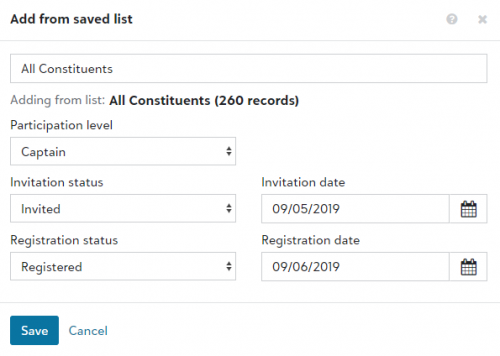 Add event participants from saved lists.
To speed data entry, you can now use constituent lists you save in
Lists,
Constituents to add individuals and organizations as participants in
Events. When you add participants from a list, such as constituents who are active major donors, you also select the participation level, invitation status, and registration status to apply to their records.
On an event record, under Participants, select Work with participants, and then select Add, Add from saved list. For more information, see Participants.
Enter event prices.
To help raise money for your organization's mission, you can charge people to participate in or attend events. For example, you may sell tickets for a concert and offer different prices for children and adults. To speed data entry and streamline event set up, you can now more easily add prices in Events. On an event's record, under Prices, select Add price and enter what participants can purchase in the Name field. Previously, you added prices in the database view and selected them from a list in web view. For more information, see Prices.
Note: In the database view, prices appear as event units in Tables under Configuration. If you enter a price name that already exists as a unit, the web view doesn't create a duplicate entry for it in the database view.
Assign a specific batch number to a batch of gifts (for those with Gift management).
To help you identify batches, you can now enter a custom batch number when you add a batch of gifts in the web view. From Fundraising, Gift management, select Add, Add a batch of gifts. To assign a custom number to the batch, select Enter a specific batch number and enter a unique number. If you don’t select this option, a batch number is automatically assigned to the batch.
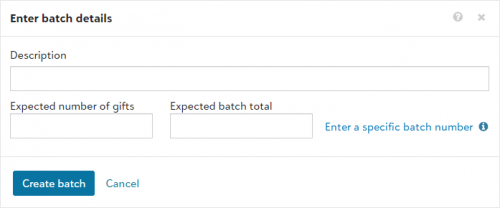
You can also enter a custom batch number when you edit batch details from an existing batch record.
Note: You can't edit batch numbers for approved batches.
For more information, see Gift Batches.
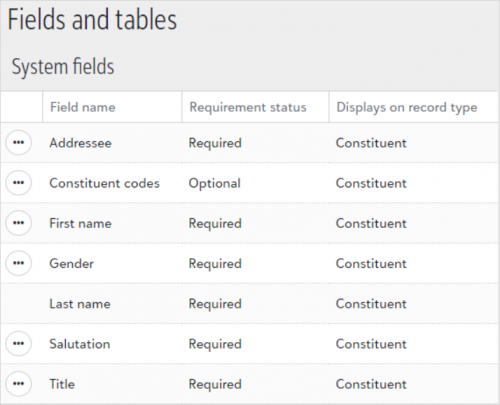
Manage required fields for constituents and actions (for some of you).
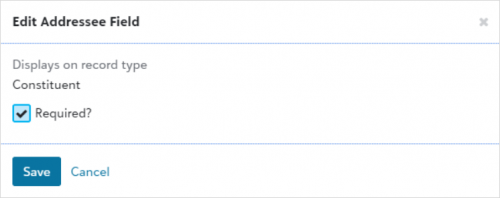
To help ensure consistent data entry for new constituent and action records in web view, admins can now manage required fields from Control panel, Fields and tables. Admins can also view the list of fields available to require in web view and the type of records where they appear. To make a field required, select Edit from the menu  and select Required?.
 The fields you can currently require correspond to fields that appear when you add constituent and action records.
Constituent records:
-
First name
-
Title
-
Addressee
-
Salutation
-
Gender
-
Constituent codes
Note: The Last name field was already required by default in web view.
Action records:
Note: This release focuses on fields you use to add new records to the database. In future releases, you'll be able to require additional fields and record types.
Supported fields currently marked as required in database view are now also required in web view. For example, if the First name field was previously required in database view, it's now required in web view. After this initial release, updates to required fields in database view are not reflected in web view. For more information, see Fields and Tables.
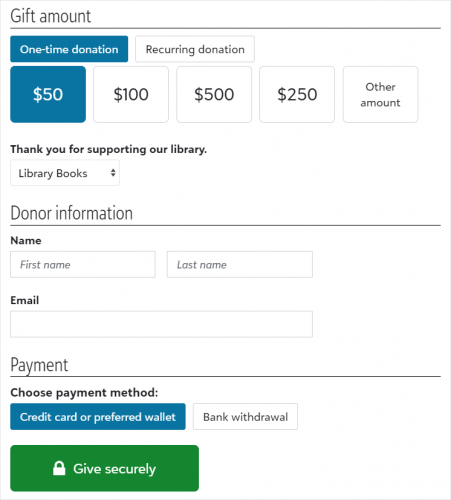 Build and manage donation forms (for some of you).
To help you easily accept and process gifts from your organization's website, you can now use Raiser’s Edge NXT to create and manage donation forms! From Tools, Donation form designer, design and build forms and then use automatically generated code snippets to embed them on your website.
With Donation forms, you can:
-
Quickly create forms with a drag-and-drop designer
-
Accept recurring gifts and automatically process subsequent payments
-
Offer credit and debit card, direct debit, and digital wallet payment options
-
Design thank-you emails with your organization's branding
-
Track performance and view which websites refer donors to the forms
For more information, see Donation Forms.