When the time comes to provide usernames and passwords to your students and parents, export is our best tool. Today we’re going to talk about exporting usernames and passwords using both a Student export and an Individual export.
A few things to keep in mind:
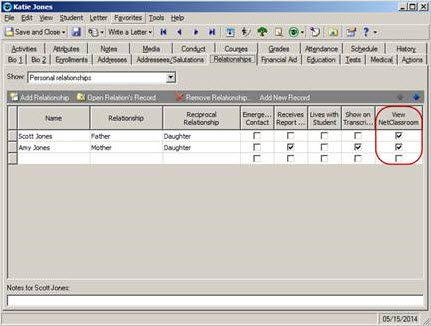
In this example we’ll be looking at Katie Jones (Student), Scott Jones (Father), and Amy Jones (Mother). You’ll want to ensure that the “View NetClassroom” box is marked on the Relationships tab to allow access to NetClassroom.
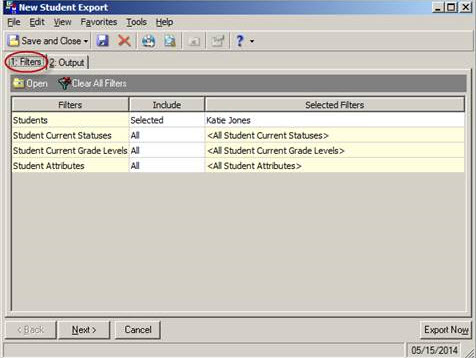
In the student export, I have filtered on Katie Jones. You may choose to filter by query, by status (such as “Current Student”), or by Grade Level(s).
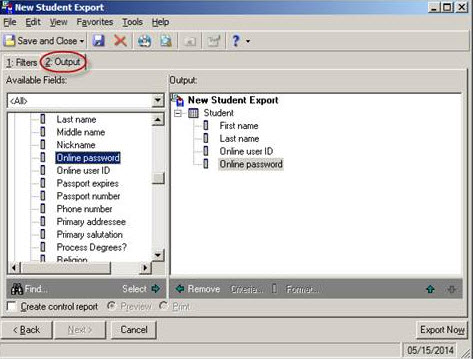
To see the student’s information, I chose the following fields on the output tab:
Student -> First name
Student -> Last name
Student -> Online user ID
Student -> Online password
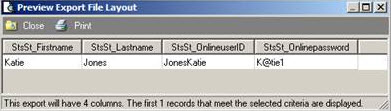
Here is the preview:
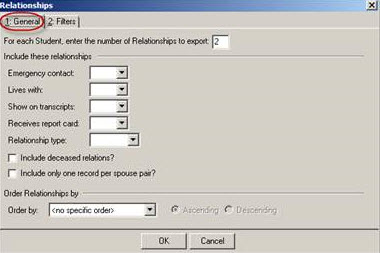
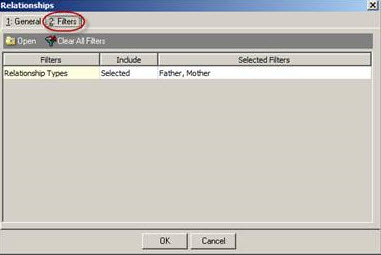
You may also want to include the parent information in the export. To include the relationship information I chose the following fields:
Relationships -> Person Relation -> First name
Relationships -> Person Relation -> Last name
Relationships -> Person Relation -> Online user ID
Relationships -> Person Relation -> Online password
In this example I chose to export 2 relationships (Father, Mother), but you may modify this as needed.

Here is the preview with the additional output:

Scroll to the right…

You can see the same information using an Individual export. You may choose to use an Individual export if you are sending the usernames and passwords to parents using NetMail. In this export I filtered on Scott Jones (Father) and Amy Jones (Mother). You may choose to filter using a query of current parents (See
How to query on parents of current students).

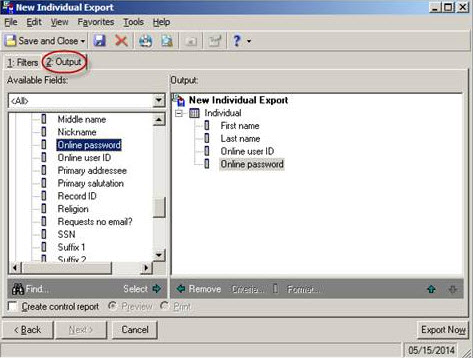
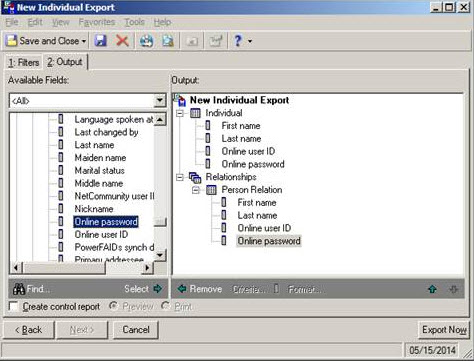
To see the parent’s information, I chose the following fields on the output tab:
Individual -> First name
Individual -> Last name
Individual -> Online user ID
Individual -> Online password
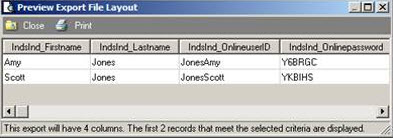
Here is the preview:
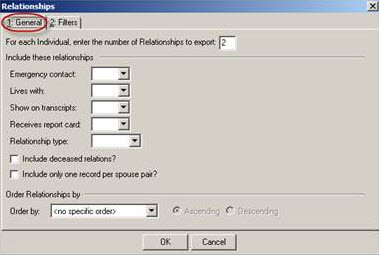
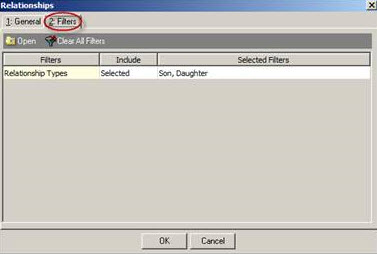
You may also want to include the student information in the export. To include the relationship information I chose the following fields:
Relationships -> Person Relation -> First name
Relationships -> Person Relation -> Last name
Relationships -> Person Relation -> Online user ID
Relationships -> Person Relation -> Online password
In this example I chose to export 2 relationships (Son, Daughter), but you may modify this as needed.
Here is the preview with the additional output:

You can also bookmark
How to export relations' NetClassroom user IDs and passwords for reference regarding this process.
Any questions? Leave a comment below!