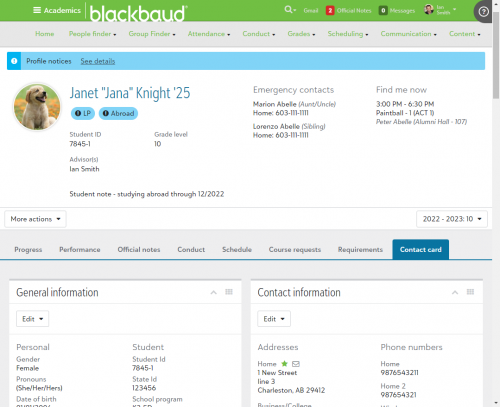
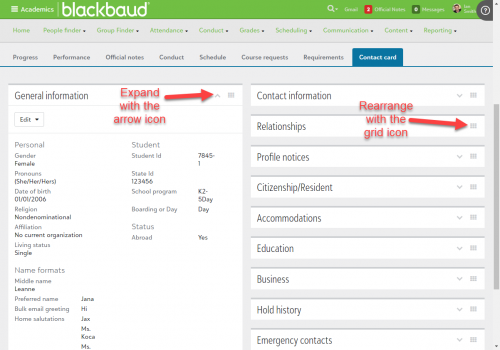
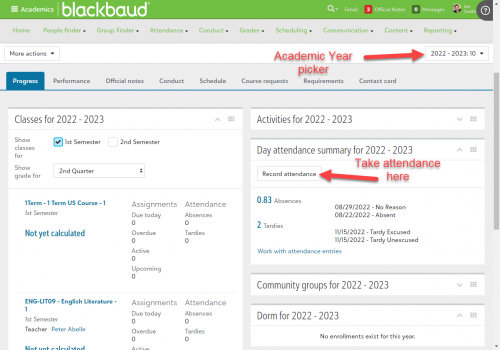
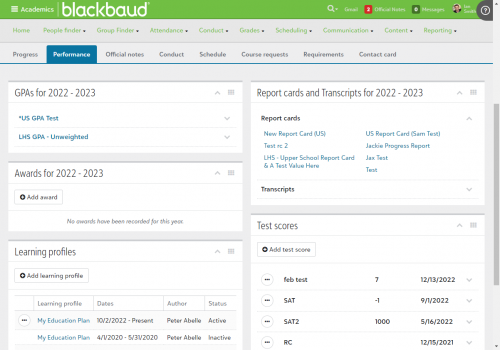
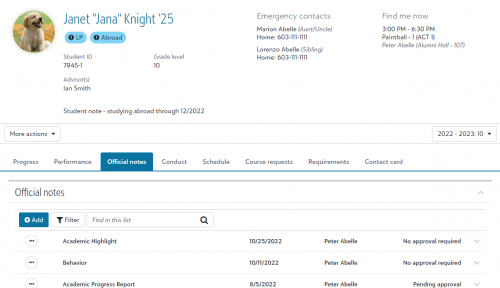
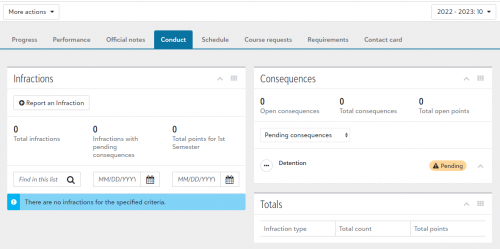
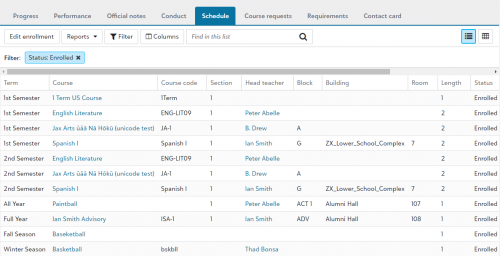
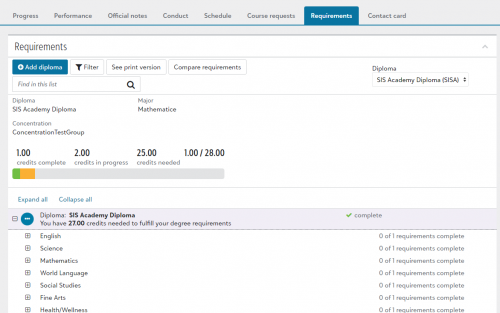
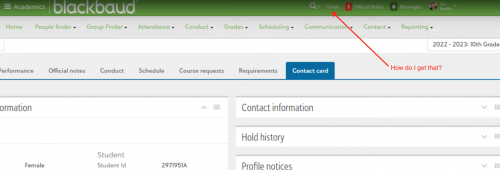
As a school counselor, I am looking for better ways my counseling staff can utilize Blackbaud. There are things the counseling staff needs that Blackbaud does not provide (from my limited understanding).
Great suggestions! The nurses need these functions, too.
To make a pdf copy of a student's schedule, we use the report called “Student Schedule - By Day Name (Grid)” found under Academics>Reporting>Reports.
I wish that emergency medical information was displayed here. If I have a student that requires an autoimmune injector (epi-pen) or inhaler I need more faculty/staff to have access to that information and this would be a perfect place to have that available.
Emergency medicines/allergies that require 911 should not be confidential.
I like that you can rearrange the boxes, but can you control if they load opened? Based on job function, certain roles will prefer to have certain info open by default. Is this something that will be possible? I wouldn't want them to have an extra click to have to expand a box that they work in regularly in each record they access.
How will we restrict access to performance and/or conduct tabs for, let's say, a receptionist? The receptionist takes attendance and may need to find a student in a classroom for a message or a call for dismissal. The receptionist should have no access to the “Academic” performance. What roles would have access to all of the available information for a student?
Can you please add a feature that allows a PDF file to be downloaded and viewable by faculty. I am thinking mostly about IEPs and 504 documents. This would be alot easier than having to create learning profiles for each student in BB.
Can you please add an “Intervention” Tab (similar to the Conduct Tab) that includes Interventions and Counseling interactions?
While reading this post, I noticed in the first screen shot the “LP!” blue bubble next to the students name. How does this appear on a student's record? Is this one of the new features coming with the 360 Profiles or is this something that already exists? Does anyone know how to make this come up when a student has a learning profile? - Thanks!
Will the updated Header and Contact Card changes display to users who view the Contact Card via School Directories (Faculty persona)?
The updated header and contact card changes will not be impacting the view of a student's profile in the Faculty persona, such as through School Directories, at this time. The student profile view found in Faculty will continue to exist unchanged for the foreseeable future.The student contact card in Faculty view has all the same information as the student contact card in the Academic view's 360 Profile, just in a different format in some cases. For example, some of the details on the 360 Profile's Contact information tile will display on the Faculty side in the Phone, Digital, and Address tiles.Hope this helps!
Hi Alan,To restrict or grant access to the various tabs on the profile, you'll need to assign the relevant roles to school employees via Core. We've added information on roles and access to the bottom of the help page regarding each 360 Profile tab (under the final subheading, which is labeled “Access _____” in each case). Here's the link to the main 360 Profile help topic, with links to the help regarding each tab: https://webfiles.blackbaud.com/files/support/helpfiles/education/k12/full-help/content/sis-360-user-profile.htmlSo, for example, users with the following roles can open the Progress tab, which is where a receptionist would need to go to take attendance. You'd need to make sure the receptionist has at least one of the following roles:
How do I get the Gmail link in my banner?