What change is happening?
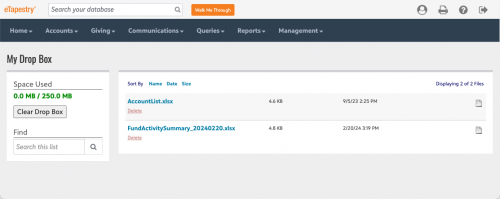
Beginning April 1, 2024, eTapestry will automatically delete files older than 18 months from your drop box. To keep older files for your records, download them by March 31.
...
What is the eTapestry drop box?
When you generate communications and exported reports, you can chose to store the files in your
eTapestry drop box to download later. This is helpful if you generate a file that may be too large for your email inbox.
Each user has a separate drop box. To access your drop box, from
Home, select
See All next to
My Drop Box. You can also select
My Drop Box from the
Quick Links tile on your home dashboard.
To download a file, select its name. Files download to your computer based on your browser settings. For additional information, see
Drop Box.