This week,
Raiser's Edge NXT updates with a handful of enhancements to actions, opportunities, gifts, and
Analyze metrics!
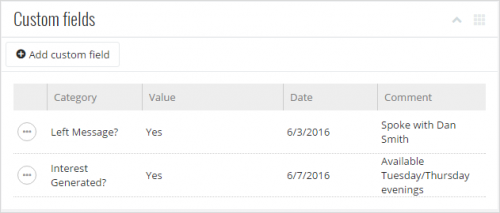 Manage an action's custom fields.
On an action's record, you can now track specialized information — such as the purpose of making contact or specifics about a meeting location — under
Custom fields. (In the database view, custom fields appear as "attributes.") For more information, see
Custom Fields Help.
View an opportunity's attachments. With
Prospect Research Management, you can use opportunities to plan and track efforts to build relationships with prospects and secure major gifts. To help with these efforts, you can now view files related to an opportunity — such as a draft of the formal gift agreement — under
Attachments on its record. (In the database view, you can attach these files to
Media tab of the opportunity's proposal record. In a future release, you'll be able to add and manage them directly from the opportunity's record in the web view!) For more information, check out the
Attachments Help.
View additional types of related transactions. On a gift's record, you can now view related memberships, events, and opportunities — instead of just other gifts — under
Related transactions. For details about a related transaction, select its name or amount to open its record. For more information, see the
Gift Records Help.
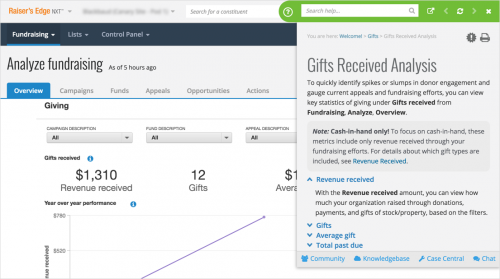 Get answers about metrics in Analyze. By popular demand!
You can now select
Info (the little blue "i") for any metric in
Fundraising,
Analyze to view detailed information specific to its analysis, such as:
- The types of records it counts in the number-crunching
- Why and how you can use a metric to gauge performance
- Recommendations on how to rebound from a negative trend
For more information, check out the
Analyze Help.