To help you get more out of your fundraising efforts,
Raiser's Edge NXT recently updated with some nifty enhancements to campaigns, funds, and appeals!
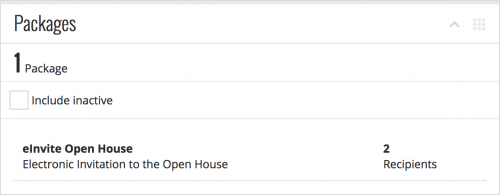 View packages for appeals.
 To help acquire gifts, your organization may target recipients of an appeal with different versions — or
packages — of content and items. On an appeal's record, you can now view these versions under
Packages. For each package, you can view details such as how many people were solicited. For more information, see
Appeal Records Help.
Manage custom fields for campaigns, funds, and appeals. On the record of a campaign, fund, or appeal, you can now add and manage specialized information — such as whether an appeal only targets major donors — under
Custom fields. (In the database view, this information appears as
attributes.) For more information, check out the
Custom Fields Help.
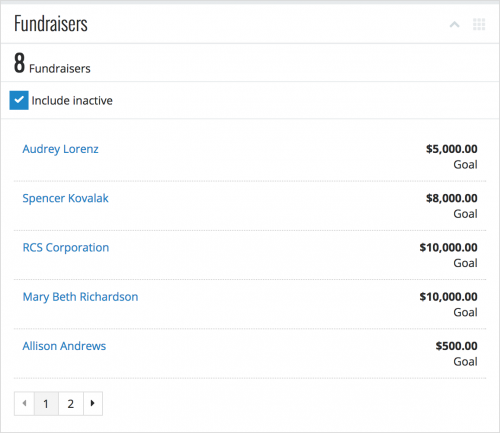 View fundraisers for campaigns, funds, and appeals.
 To help secure gifts, your organization may assign people to manage fundraising efforts. On the record of a campaign, fund, or appeal, you can now view who's assigned to it — and how much money they should raise — under
Fundraisers. For more information, see
Fundraisers Help.
For more information about the details you can track and analyze about your fundraising efforts, see the
Campaign Records Help,
Fund Records Help, and
Appeal Records Help.
For more details about these new features, or to catch up on previous releases, check out the
What's New Help and
What's Recent Help.
Enjoy!
