In a gift list, you can now view and filter by whether — and when — giving posts to your general or nominal ledger.
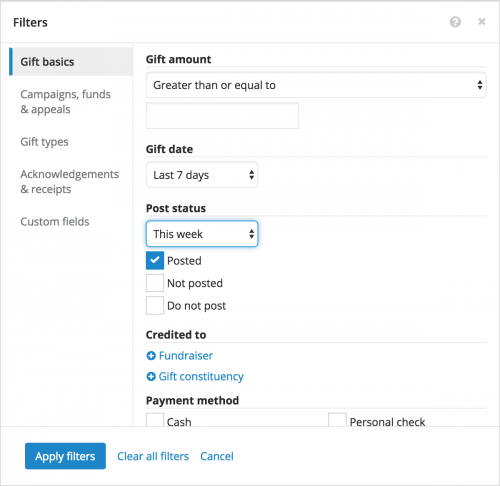
To include gifts in the list based on this information, such as to view those that recently posted, select
Filters,
Gift details, and choose the criteria of the gifts to include under
Post status.
- To include gifts based on when they post to your ledger, choose the time frame of the post dates to include. To include gifts regardless of when they post, select At any time.
- Choose the status — Posted, Not posted, or Do not post — of the gifts to include.
Once you choose the post status and dates to include, select
Apply filters. For more information, see the
Gift Basics Filters.
To view this information in a gift list with the new
Post status column, select
Choose columns,
Post status, and
Apply changes.
