This week,
Raiser's Edge NXT updates with several enhancements to help keep you active and rolling, starting with when you sign in.
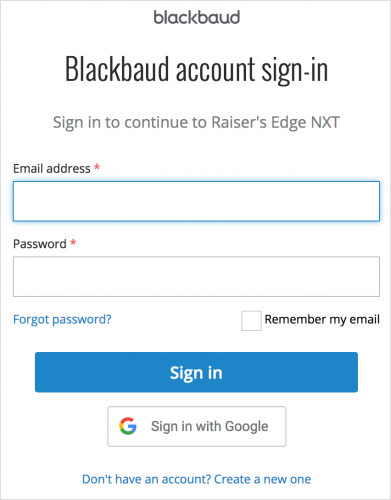 Sign in quickly and get rolling. As previously discussed
, you can now choose use a new streamlined login. Just as before, you'll use this new login to sign in to
Raiser's Edge NXT — through Blackbaud or
Google — and reset any forgotten passwords. To use this new experience, select
Try it now when you sign in! Once you do, you'll also use the new new login to sign into other Blackbaud solutions and resources (like this very Community!)
To help you get rolling, you'll now start from
Work Center or
Home when you first sign in.
- If you're a fundraiser, you start from Work Center, where you can manage your portfolio of relationships and assignments.
- If you're not a fundraiser, you start from Home, where you can catch up on the latest news, tips & tricks, and happenings in Raiser's Edge NXT.
View Work Center for all fundraisers by default. If you aren't a fundraiser but can access others' work centers as a fundraising manager or supervisor, you now view
Work Center for All fundraisers whenever you select
Fundraising,
Work. To view a specific fundraiser's work center, select
Change fundraiser. (Previously, you had a choose All fundraisers or a specific fundraiser each time you visited
Work Center.) For more information, see the
Work Center Help.
 View who are near or share an address on the map.
To quickly view constituents who are in close proximity — or at the same location, such as a household or high-rise building – on the map, you can now select a pin for a list of its constituents. (Previously, you zoomed in on a pin to see its multiple constituents or the number of constituents at a shared address.) For more information, check out the
Constituent Map Help.
For more information about these features, or to catch up on previous releases, see the
What's New Help or
What's Recent Help.
Enjoy!

