This week,
Raiser's Edge NXT updates with new filters, the ability to edit relationship details, and expanded use of a constituent's former name.
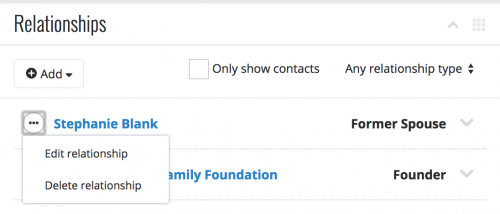 Edit relationships.
To edit information about a constituent's relationship with an individual or organization, such as how or when they're related, you can now select
Edit relationship from its menu (the three dots) under
Relationships on the constituent's record. For more information, see the
Relationships Help.
New map and gift list filters. As previously discussed, you can now use additional filters to narrow the focus on specific constituents or giving.
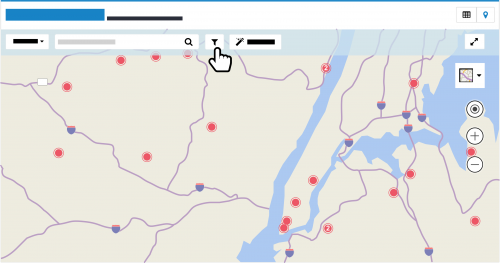 To pinpoint constituents on the map based on details such as constituent code, tags, or giving, you can now select Filters (the funnel) to use the same filters available on the constituent list. For more information, see the Constituent List and Map Filters Help.
- To include gifts in a list based on specialized information your organization tracks about giving, such as whether a payment reminder was sent, you can now select Filters and Custom fields. When you filter a gift list by custom field, you can choose the specific values and dates of custom fields to include. For more information, see the Custom Field Filters Help.
View and search by former name. To help identify constituents throughout their relationship with your organization, you can now view the name an individual previously went by — such before a name change or marriage — in the new
Former name field at the top of their record. You can also now search for an individual by their former name in the
Search for a constituent field. For more information, see the
Profile Information Help and
Search for Constituents Help.
For more information about these features, or to catch up on previous releases, check out the
What's New Help or
What's Recent Help.
