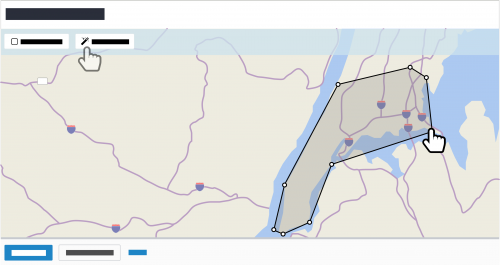
To narrow a list of constituents to only those within a specific area, such as to plan a trip or coordinate meetings with multiple donors, you can now filter by location. In the constituent list, select
Filters,
Location, and
Filter using map view. With the map view, you can specify the areas — as a
Rectangle area or
Custom area — of the constituents to include. For more information, see the
Constituent List and Map Filters Help.
To view the constituents in the area as pins, you can still select
Map from a constituent list in
Lists and filter the map. For more information, see the
Constituent Map Help.
To catch up on previous releases, check out the
What's Recent Help.
Enjoy!
