To enhance your fundraising efforts and interactions, you can track detailed information about a constituent's relationships with other individuals and organization, such as family, friends, and employers. The more relationships you track, the more connections between your constituents become evident, similar to a profile on
LinkedIn.
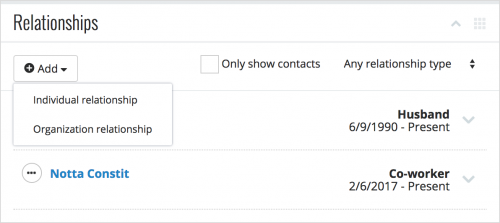
On a constituent's record, you can view their related individuals and organizations under
Relationships. For each individual or organization, you can view how they're related to the constituent — such as Wife or Employer — and, if applicable, when the relationship occurred. With this information, you can:
- Give your interactions with the constituent more meaning and context.
- Identify prospective donors and volunteers.
- Track potential leads to help cultivate giving — from both the constituent and the related individual or organization!
To save a new relationship to the constituent, select
Add, and choose whether to add an
Individual relationship or
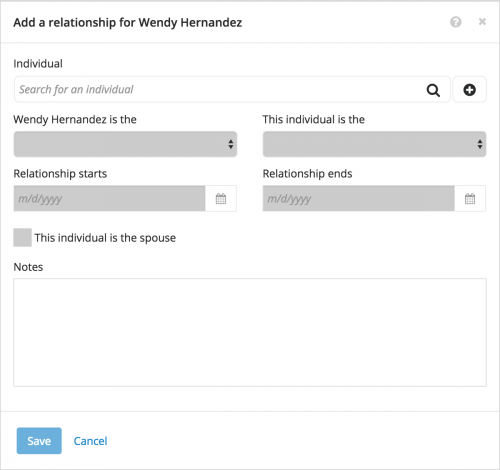
Organization relationship. When you add a constituent's relationship with an individual or organization, you can save details including:
- How the constituent and the individual or organization are related to each other
- The dates of the relationship, such as for employment or with an ex-spouse
- Other pertinent details you find important
For a relationship between an individual and an organization, you can also track:
- Whether the individual acts as a contact at the organization
- The individual's position or job title at the organization
To help avoid duplicate data entry, we recommend you first search for the related individual or organization when you add their relationship to the constituent. If they aren't in your database, you can select
Add (the plus sign) to create their record. When you add a new individual or organization, you can save their name, contact information, and any demographic details.
For more information, check out the
Relationships Help.