This week,
Raiser's Edge NXT updates with enhancements to
Fundraising,
Analyze and constituent lists.
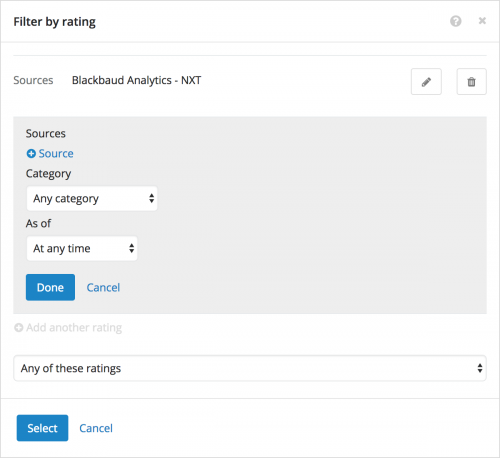 Filter constituent lists by any or all of multiple custom ratings. As previously discussed
, when you filter a constituent list, you can now choose whether to include those who have
any or
all of multiple custom ratings — — such as Wealth
or Affinity versus Wealth
and Affinity. To filter a constituent list by custom rating, select
Filters,
Wealth & ratings, and then select
Rating under
Custom ratings. For more information, see the
Wealth and Ratings Filters Help.
Copy others on your scheduled PDFs of Analyze tabs. In
Fundraising,
Analyze, you can choose to receive a PDF of a tab's metrics as an email — at the address used with your Blackbaud ID — at regular intervals, such as to track and compare fundraising effectiveness over time. To easily share your analysis with others, you can now copy additional recipients on your email. To schedule an emailed PDF of a tab in
Fundraising,
Analyze, set the filters on the tab as necessary on your desktop (
not mobile), and then select
Schedule email of this dashboard. To copy others on the email, select
Add recipients or define custom subject and message, and — in the
Send a copy to field – enter the email address of the recipients, separated by commas. For more information, see the
PDFs of Analyze Metrics Help.
For more information about these features, or to catch up on previous releases, check out the
What's New Help and
What's Recent Help.
Enjoy!