In
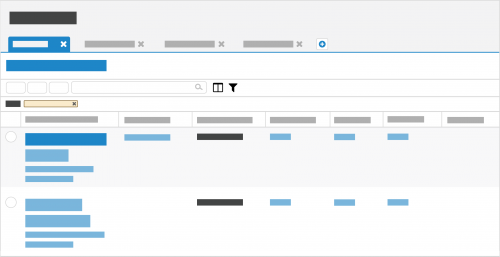
Raiser's Edge NXT, you can manage lists of records, such as to analyze performance or act on multiple records at once. To get a list out of
Raiser's Edge NXT, it may be tempting to look for your browser's
Print button or copy/paste into another application. Luckily, there are better (and more eco-friendly) ways to take your lists to-go — and keep their data current along the way!
Go mobile. Don't forget that you can access
Raiser's Edge NXT on your mobile device! Just sign in to
renxt.blackbaud.com on your mobile browser, and —
voila! — your lists are at your fingertips. The next time you're looking to just take lists with you while you travel or for a meeting with a donor, consider this option. When you access lists on your mobile device, they stay current with the latest data, and you can adjust their filters in real-time to fine-tune their records as necessary. (To ease access on your mobile device, add
Raiser's Edge NXT to its Home screen so it appears with the other apps you use!)
Share with others. If you're looking to print a list to share with someone else who uses
Raiser's Edge NXT, send them a link instead. To generate a link, save the list, select
Share, and then copy and paste the URL in an email or direct message to the person. Like when you reference the list on your desktop or mobile device, the shared link ensures the recipient is up-to-date with the latest records that meet the filter criteria. As an added bonus, the shared list respects the recipient's security rights, so you don't inadvertently expose them to sensitive constituent data they shouldn't see.
Export to CSV. To use a list with a spreadsheet application such as Microsoft
Excel or Google
Sheets for analysis or offline reference, you can download its information as a comma-separated values (CSV) file. To download a list — up to 500k records — as a CSV file, select
Export and, when the export completes,
Download file. (For security purposes, the
Download file link expires after one hour or if you sign out during the export or before you download the file.) Remember that — like a printed list — a CSV file is simply a snapshot of the list at a single moment in time and won't automatically update with the latest records that meet the filter criteria. (Don't see
Export? Talk to your admin to see if you can have access.)
Admins! To help protect and control your constituent's personal data, we recommend you enable only appropriate people to export from
Raiser's Edge NXT. In
Control Panel, you can choose who can export lists from
Lists or
Fundraising,
Work. For more information, see the
List Rights Help or
Fundraising Work Center Rights Help.
For more information about working with lists, see the
Lists Help.