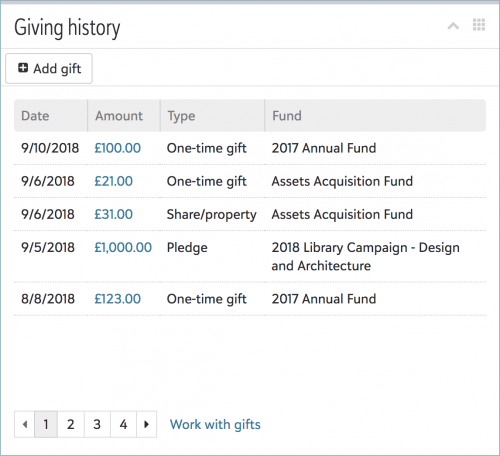
On a constituent's record, you can now view a list of their gifts and soft credits to your organization — and,
for some of you, add new one-time gifts — under
Giving history. (Previously, you viewed this list under
Giving.)
- For a full list of the constituent's gifts (including matching gifts based on their giving but given by someone else), select Work with gifts. From their full list, you can manage the giving information as necessary, such as to apply filters and analyze gifts by campaign or amount.
- For details about a specific gift, select its amount to open its record.
For more information, see the
Giving History Help.
For more information about this week's new features, or to catch up on previous releases, check out the
What's New Help and
What's Recent Help. Enjoy!