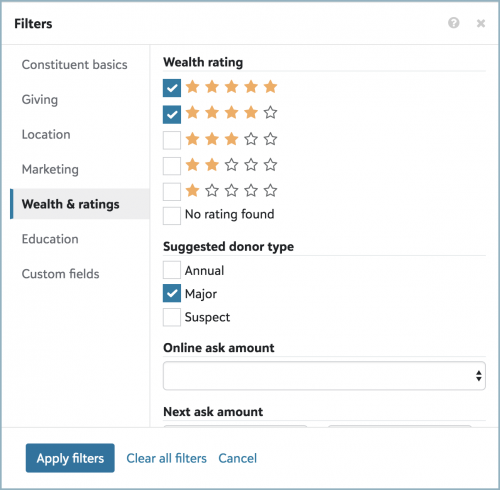
In a constituent list, you can use
Wealth & ratings filters to include records based ratings your organization uses, including:
- Custom ratings to track details such as affinity, social media activity, or wealth characteristics from ResearchPoint or Marts & Lundy
- In the United States and Canada, wealth ratings and online ask amount ranges from Target Analytics
- With Wealth Analytics, additional suggested donor types and next ask amounts from Target Analytics
To help protect this sensitive constituent information, your organization can now secure who can access these filters and the related
Rating columns in constituent lists. If you had a saved list that uses the
Wealth & ratings filters but
don't have the proper security, you'll now encounter a permissions error when you open that list.
Admins! To ensure everyone who should have access to the
Wealth & ratings filters continue to do so, check their security groups
in the database view. To enable someone to use these filters and the
Rating columns, their security group will need at least
View rights for the
Ratings permission under
Constituents Privileges in
Admin,
Security.
For more information about these filters, see the
Wealth and Ratings Filters Help.