This week,
Raiser's Edge NXT introduces enhancements to
Workflow designer. Also, the ability to view a constituent's unapproved gifts is now generally available.
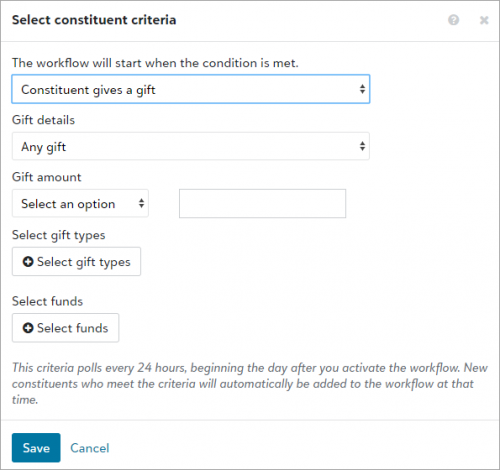 Set giving criteria for Workflow designer. You can now set gift criteria to include people in workflows from Workflow designer. For example, you can create a workflow and set it to only include people who give a first gift over $50. Previously, you could only set gift criteria for workflows from Lists.
From Tools, Workflow designer, create a new workflow. When you add the first step, choose Select criteria and set the gift conditions to use.
Note: Workflows check for constituents who meet the criteria every night beginning the date you activate the workflow.
For more information, see Constituent criteria.
View workflow performance details. To help track performance, you can now view how many people a workflow applies to.
From Tools, Workflow designer, select a workflow's name to view how many people it's applied to since it was activated, how many it currently applies to, and how many completed it. You can also view when it was activated, who created it, and who last modified it.
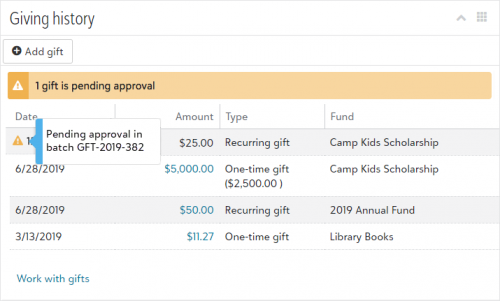 View a constituent's unapproved gifts. To provide a more complete view of a constituent's giving, you can now view unapproved gifts under Giving history on a constituent’s record. An alert appears when the constituent has gifts pending approval in a batch. To view the batch number associated with an unapproved gift, select its alert in the list. For more information, see Giving History.
Note: Gifts in unapproved batches in the database view do not appear under Giving history.