This week,
Raiser's Edge NXT begins waved roll outs of new gift features including recurring gift amendments and improvements to how you enter gift batches.
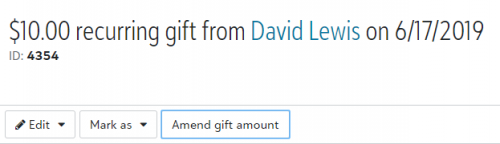 Upgrade or downgrade a recurring gift's amount (for some of you).
To help you accommodate donors who wish to upgrade or downgrade their recurring gifts, you can now amend a recurring gift's amount.
From the top of the recurring gift record, select Amend gift amount, then increase or decrease its amount. You can also update additional information — such as gift splits or soft credits — as needed.
When you amend a gift, details about the change, such as any previous values and amended values, appear in the recurring gift’s history. Any changes you make apply to future installments; recurring gift payments that have already been processed remain unchanged. For more information, see Recurring Gift Amendments.
Note: In future releases, you’ll be able to add other types of amendments through the web view, such as to update a recurring gift's payment schedule.
Improvements to Add batch gift (for some of you). Previously, we improved the way you enter a gift's details when you add a single gift. Now, we added the same improvements when you add a batch of gifts.
From Fundraising, Gifts management, create or edit a batch. Each time you add a gift to the batch, under Gift splits, you can now directly enter details into the fields that help your organization track gifts — such as the campaign, fund, and appeal. For more information, see Gifts.