This week,
Raiser's Edge NXT® announces enhancements to donation and registration forms.
Set gift amounts in donation forms.To help increase the amount donors give, you can now set a default gift amount on donation forms. For example, you can suggest donors give $100 by making it the default selection on the form.
From
Tools,
Donation form designer, create or edit a donation form. Under
Form, edit the gift options and choose the amount.
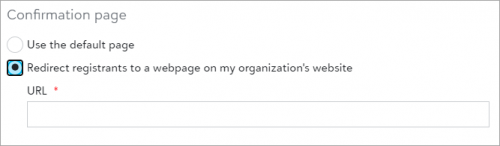
Select your own confirmation page for online registrations.To help keep your branding consistent, you can now show registrants a page on your organization’s website after they complete online registrations. Previously, registrants always saw the default confirmation page.
From an event record, under Online registration forms, edit an existing form or create a new one. Under Confirmations, Confirmation page, select Redirect registrants to a web page on my organization’s website and enter the URL.
If you published your form before June 25, 2021, you must also select Publish, copy the HTML code, and embed it on your website again.
Note: Transaction details are only available on the default confirmation page.