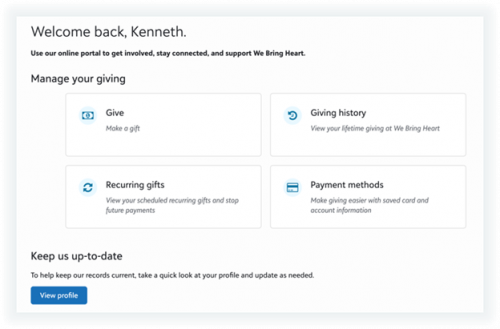
Portal is a tool that website constituents can use to stay connected with your organization. It will delight supporters by giving them the ability to self-manage their personal and donor information. Portal allows donors to:
-
Update personal and contact information ensuring that it’s always up to date in your database.
-
Save payment methods so their payment information doesn’t have to be entered each time.
-
View their lifetime giving history including one-time gifts, gifts-in-kind, matching gifts, stock/property, payments for pledges, recurring gifts, and "other."
Constituents can also:
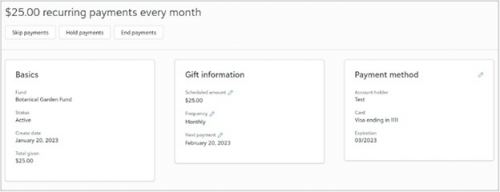
- Edit gift amounts for scheduled payments.
- Edit the frequency and schedule of recurring gifts.
- Skip payments.
- Pause their giving.
- View and email giving statements.
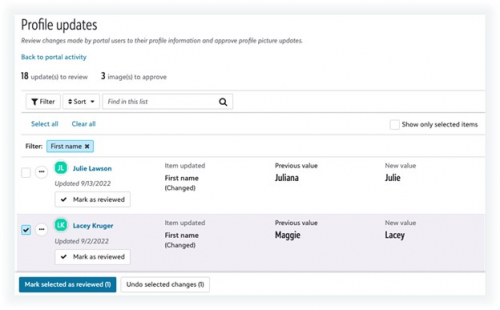
Encouraging supporters to make changes to their records personalizes their connection to your organization while helping you maintain high data quality. Portal also allows your organization to review all profile edits made by your constituents so you can ensure good data hygiene and maintain updates across your systems.
Notifying your supporters of this new feature will be exciting and Blackbaud developed some tools to help you streamline this effort. Below is an outline of how to roll out this feature and educate your community.
-
Plan which events and meetings you'll use to announce the new portal option. Distribute this customizable handout to answer common questions about creating accounts and using portal.
-
Add links to your website and include these FAQs about portal. Use social media and other communications to direct constituents to this information.
-
Announce when you plan to send portal invitations so constituents will know when to expect to receive theirs.
-
When you’re ready, use the “Send invitations” functionality (inside of portal) to email portal invitations to a single constituent or a list of constituents. When a constituent receives an invitation from you, it streamlines their login process, giving them the quickest access to portal.
- Add details about portal to your new member materials to onboard constituents.
To learn more about the administrative setup and features of portal, review Get Started with Portal and join us for the November 9 Blackbaud Raiser’s Edge Feature Focus Webinar-Portal.
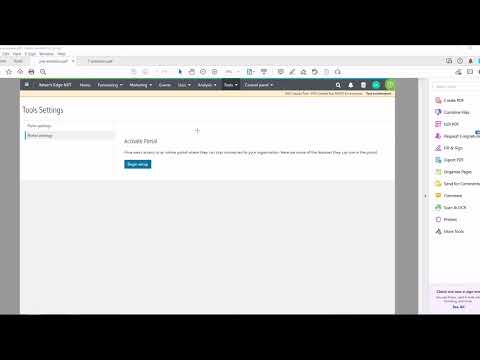
Also, check out the below videos of Portal for a virtual tour.
Raiser's Edge NXT Portal: Donor Experience
 https://www.youtube.com/watch?v=yhj1_nZjAec