View gift custom fields on the gift record and constituent custom fields on the constituent record after approving in a batch.
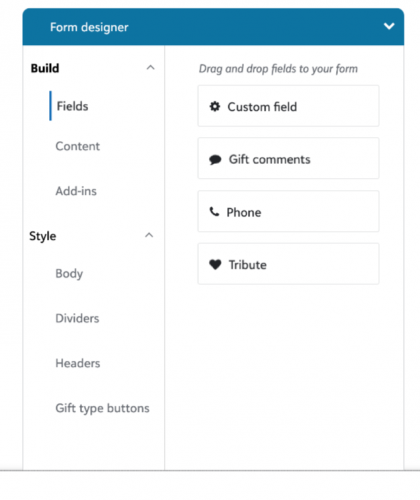
To add custom fields to a form, from Tools, Donation form designer, add or edit a donation form. Under Form, select Custom fields from Fields in the Form designer. Drag and drop the field where you want on the form.
After you place the custom field on a form, search for the field you want to add.
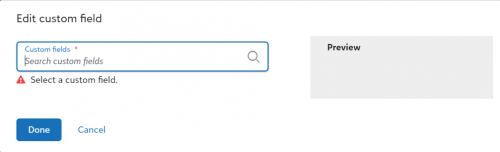
You can add the following types of custom fields: Text, Date, Number, Yes/No, and now Table. The custom field type will drive how the field displays to your donors. For example, a text field will offer a text entry field, while a yes/no field will offer a Yes/No selection.
For Table custom fields, the display will be driven by how you setup the “allow one per record” setting on the custom field.
If the custom field is set to only allow one per record, responses will display as a single-select dropdown.
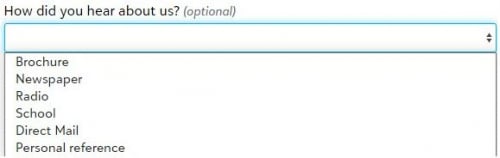
And, if the custom field is not set to allow one per record, multiple responses can be selected, via a checkbox display.

How do you choose between a custom constituent or gift field to add to your donation form? It is best to determine what information you are trying to gather. Are you trying to expand your knowledge about the constituent or the gift? Work with your database manager to determine the best field setup for you to use on your form. This will help you choose which field fits best.
For additional information on custom fields, click here.
Also, on RENXT Donation Forms you can now create donor-friendly titles that make it easier for the donor to understand the fund type/theme.
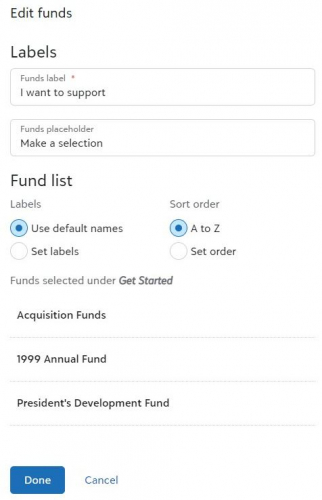
From Tools, Donation form designer, add or edit a donation form. Under Get started, select more than one fund. Next, under Form, select Click to edit on the fund field and choose to Set labels. Labels do not change across forms. If you are using the same fund across multiple funds, you will need to relabel them on each form. In addition, you can now choose to set a custom order. After choosing Set order, use the drag and drop functionality to place the funds in the order you want them to appear.
For additional information on donation form fund click here.