The Omnibar, www.blackbaud.com, and You!
In December 2014, we implemented an important enhancement to www.blackbaud.com that will help us prepare the framework for single sign-on. While our Support resources haven't changed, this does change how you sign into www.blackbaud.com. The updated process will allow you to choose to sign into Blackbaud.com using either your email address or Google account.
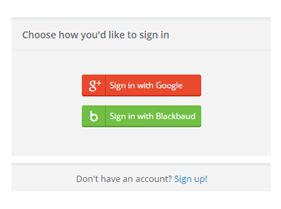
While these are exciting changes, we wanted to make sure you could easily navigate this change for our website. Check out the videos below for logging in with an email or Google Account:
How to Update your www.blackbaud.com Account to Login with Email:
https://www.youtube.com/watch?v=qSqXaJpl0Zw
How to Update your www.blackbaud.com Account to Login with a Google Account:
https://www.youtube.com/watch?v=phCmxB-kRUY
Still have questions? Take a look at some of the FAQs below:
Is my Blackbaud.com login the same as my Blackbaud software or the Blackbaud Hosting Services portal login?
No, your Blackbaud.com account login is specific to our website and gives you access to our online Support resources, such as Case Central, Chat, and our Knowledgebase. For more information about our support resources, visit us here (https://support.blackbaud.com/). If you have questions about accessing Blackbaud Hosting Services or your Blackbaud software, you can find helpful information here (https://www.blackbaud.com/support/loginhelp.aspx).
Can I still login under my original Blackbaud.com account username after the update?
No, you will need to update your account to either use your email or your Google account to log in to the Blackbaud.com website moving forward.
What happens if I want to use a different email and password than what’s on my Blackbaud.com account record?
No problem! You’ll just be asked to log into your Blackbaud.com account one more time with your old username and password during the process. The email address you use during the update process will be your new email on file with Blackbaud where you receive communications.
If I use my Google account, will this update my existing Blackbaud account information?
Yes, your new email on file will be whatever is linked to your Google account. This is also where you will receive communications from Blackbaud.
What if I want to sign in with my Google account and the associated Google email is different than where I want to receive my communications from Blackbaud?
The email address tied to your updated login will be where you will continue to receive communications from Blackbaud. Therefore, we recommend signing up with an account that matches the desired email address for Blackbaud related communications.
When I update my account, can I use the same password?
When updating your account, you can use the same password as before assuming it meets our updated security password requirements (see next FAQ).
What are the password requirements if I sign up using my email?
Your password must meet the below criteria:

While these are exciting changes, we wanted to make sure you could easily navigate this change for our website. Check out the videos below for logging in with an email or Google Account:
How to Update your www.blackbaud.com Account to Login with Email:
https://www.youtube.com/watch?v=qSqXaJpl0ZwHow to Update your www.blackbaud.com Account to Login with a Google Account:
https://www.youtube.com/watch?v=phCmxB-kRUYStill have questions? Take a look at some of the FAQs below:
Is my Blackbaud.com login the same as my Blackbaud software or the Blackbaud Hosting Services portal login?
No, your Blackbaud.com account login is specific to our website and gives you access to our online Support resources, such as Case Central, Chat, and our Knowledgebase. For more information about our support resources, visit us here (https://support.blackbaud.com/). If you have questions about accessing Blackbaud Hosting Services or your Blackbaud software, you can find helpful information here (https://www.blackbaud.com/support/loginhelp.aspx).
Can I still login under my original Blackbaud.com account username after the update?
No, you will need to update your account to either use your email or your Google account to log in to the Blackbaud.com website moving forward.
What happens if I want to use a different email and password than what’s on my Blackbaud.com account record?
No problem! You’ll just be asked to log into your Blackbaud.com account one more time with your old username and password during the process. The email address you use during the update process will be your new email on file with Blackbaud where you receive communications.
If I use my Google account, will this update my existing Blackbaud account information?
Yes, your new email on file will be whatever is linked to your Google account. This is also where you will receive communications from Blackbaud.
What if I want to sign in with my Google account and the associated Google email is different than where I want to receive my communications from Blackbaud?
The email address tied to your updated login will be where you will continue to receive communications from Blackbaud. Therefore, we recommend signing up with an account that matches the desired email address for Blackbaud related communications.
When I update my account, can I use the same password?
When updating your account, you can use the same password as before assuming it meets our updated security password requirements (see next FAQ).
What are the password requirements if I sign up using my email?
Your password must meet the below criteria:
- 7 characters or more
- Must have at least (2) criteria:
-
- Capital letter
- Number
- Special character (!, #, %, etc…)
- Try to use the same email address and password as your existing Blackbaud.com account; it will make it easier to remember!
- If you use Google we recommend:

-
- You enable 2-step verification for enhanced security
- Setup your account recovery options
0
Categories
- All Categories
- 6 Blackbaud Community Help
- 211 bbcon®
- 1.4K Blackbaud Altru®
- 402 Blackbaud Award Management™ and Blackbaud Stewardship Management™
- 1.1K Blackbaud CRM™ and Blackbaud Internet Solutions™
- 15 donorCentrics®
- 360 Blackbaud eTapestry®
- 2.6K Blackbaud Financial Edge NXT®
- 655 Blackbaud Grantmaking™
- 576 Blackbaud Education Management Solutions for Higher Education
- 3.2K Blackbaud Education Management Solutions for K-12 Schools
- 941 Blackbaud Luminate Online® and Blackbaud TeamRaiser®
- 84 JustGiving® from Blackbaud®
- 6.7K Blackbaud Raiser's Edge NXT®
- 3.7K SKY Developer
- 248 ResearchPoint™
- 120 Blackbaud Tuition Management™
- 165 Organizational Best Practices
- 240 Member Lounge (Just for Fun)
- 34 Blackbaud Community Challenges
- 37 PowerUp Challenges
- 3 (Open) PowerUp Challenge: Grid View Batch
- 3 (Closed) PowerUp Challenge: Chat for Blackbaud AI
- 3 (Closed) PowerUp Challenge: Data Health
- 3 (Closed) Raiser's Edge NXT PowerUp Challenge: Product Update Briefing
- 3 (Closed) Raiser's Edge NXT PowerUp Challenge: Standard Reports+
- 3 (Closed) Raiser's Edge NXT PowerUp Challenge: Email Marketing
- 3 (Closed) Raiser's Edge NXT PowerUp Challenge: Gift Management
- 4 (Closed) Raiser's Edge NXT PowerUp Challenge: Event Management
- 3 (Closed) Raiser's Edge NXT PowerUp Challenge: Home Page
- 4 (Closed) Raiser's Edge NXT PowerUp Challenge: Standard Reports
- 4 (Closed) Raiser's Edge NXT PowerUp Challenge: Query
- 796 Community News
- 3K Jobs Board
- 54 Blackbaud SKY® Reporting Announcements
- 47 Blackbaud CRM Higher Ed Product Advisory Group (HE PAG)
- 19 Blackbaud CRM Product Advisory Group (BBCRM PAG)
