With the end of the year rapidly approaching, students and parents are looking forward to receiving report cards. Is this your first time creating a report card? Or are you just looking to change up an existing report card? Let’s look at some of the formatting options in a report card parameter:
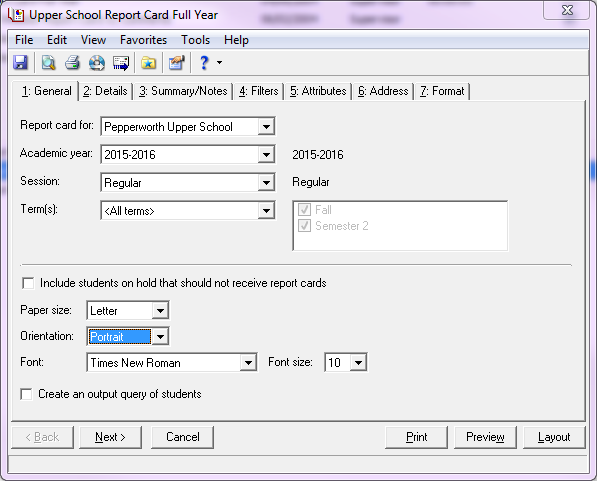
How do you change the overall layout of the report card? On the general tab, select portrait or landscape for the report card orientation:
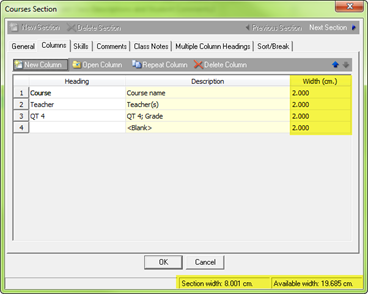
Not sure if everything will fit on the page or running out of room? Adjust the width column to determine how much space a column should occupy on the page. Also, the lower right hand corner will display how much room is available and how much is used up.
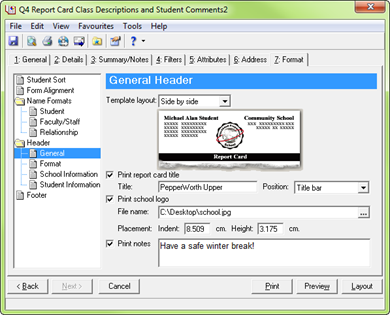
To add a title, logo, or a note, refer to the General panel on the Format tab:
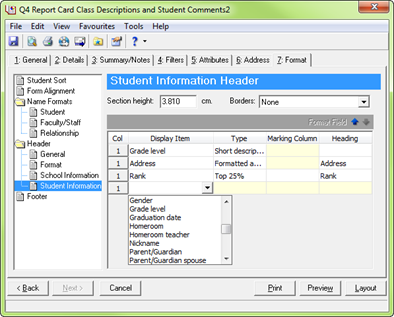
To show student information such as the grade level, address, class of, or rank, refer to the student information panel on the format tab:
Does your school format your report card in a unique way? Let me know in the comments below.