Happy New Year, everyone! We’re back a little early with some big news for
onCampus schools.Alongside our latest release on January 10, Assignment Annotations are getting a new look and feel thanks to a behind the scenes change made to the API it uses called Box. Our goal with this Assignment Annotations update is to make it as seamless as possible for teachers, while also offering them a few new features.
So, what’s new? Here are some of the new features teachers can utilize when the update hits next week:
- File type support has expanded from 4 to over 100 different types of files. These range most document files like pdf and html, to many image, audio, and video types as well. There’s certainly too many to list here but make sure to head over to our online help to see the complete list of supported file types for Assignment Annotations.
- For teachers using a mobile device or tablet, Assignment Annotations now support draw mode. Just like its browser counterpart, teachers can use a stylus or other item to interact and draw on submitted assignments.
- Annotation performance has also received a boost with this change. Schools should notice that the feature now loads much faster than before.
This update also brings a few other changes to what teachers may be used to when working with Assignment Annotations. These changes include:
- The tool set has been simplified as Text Comment, Strikeout, and Text are no longer available.
- Black is currently the only draw tool color.
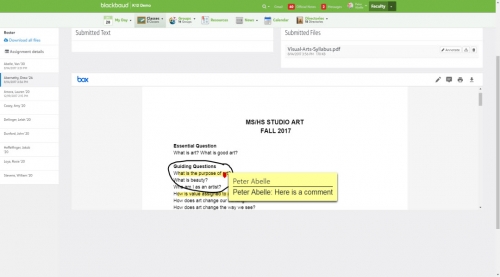
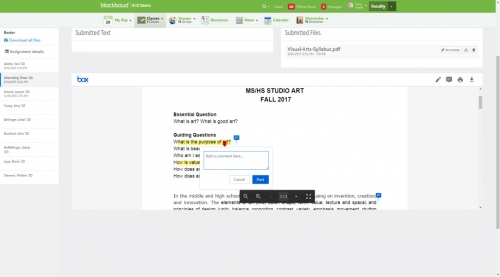
- Comment and Highlight are now combined into one tool.
- Comments also now appear as a conversation bubbles on the document, instead of displaying in full. Users can either select the bubble or hover over them to see the comment in full.
Make sure to check out our January 10 release video next week to see these new Assignment Annotation changes in action. Feel free to view and share
the following video (
Wistia version) with teachers at your school as well.
In the meantime, don’t forget to subscribe to the K12 community to get all our latest blog posts each week. Tune in next week to get a better look at some of the other big updates coming in the January 10 release. As always, thanks for reading!