For years, database view Export has been the go-to tool for creating flattened data files in Raiser’s Edge NXT. It works, but it also comes with extra steps and complexity. That’s why we’re developing Single Row Query in Raiser’s Edge NXT web view: a streamlined, modern approach that combines the flexibility of Query with the simplicity of Export.
Why the Change?
Let’s look at what exists today in database view:
- Creating an export often means building two separate items: a query and then an export.
- Both Query and Export require similar steps, and learning the differences between them has caused confusion for decades.
With Single Row Query, you’ll be able to define your criteria and output in one place—no more hopping between tools.
What Is Single Row Query?
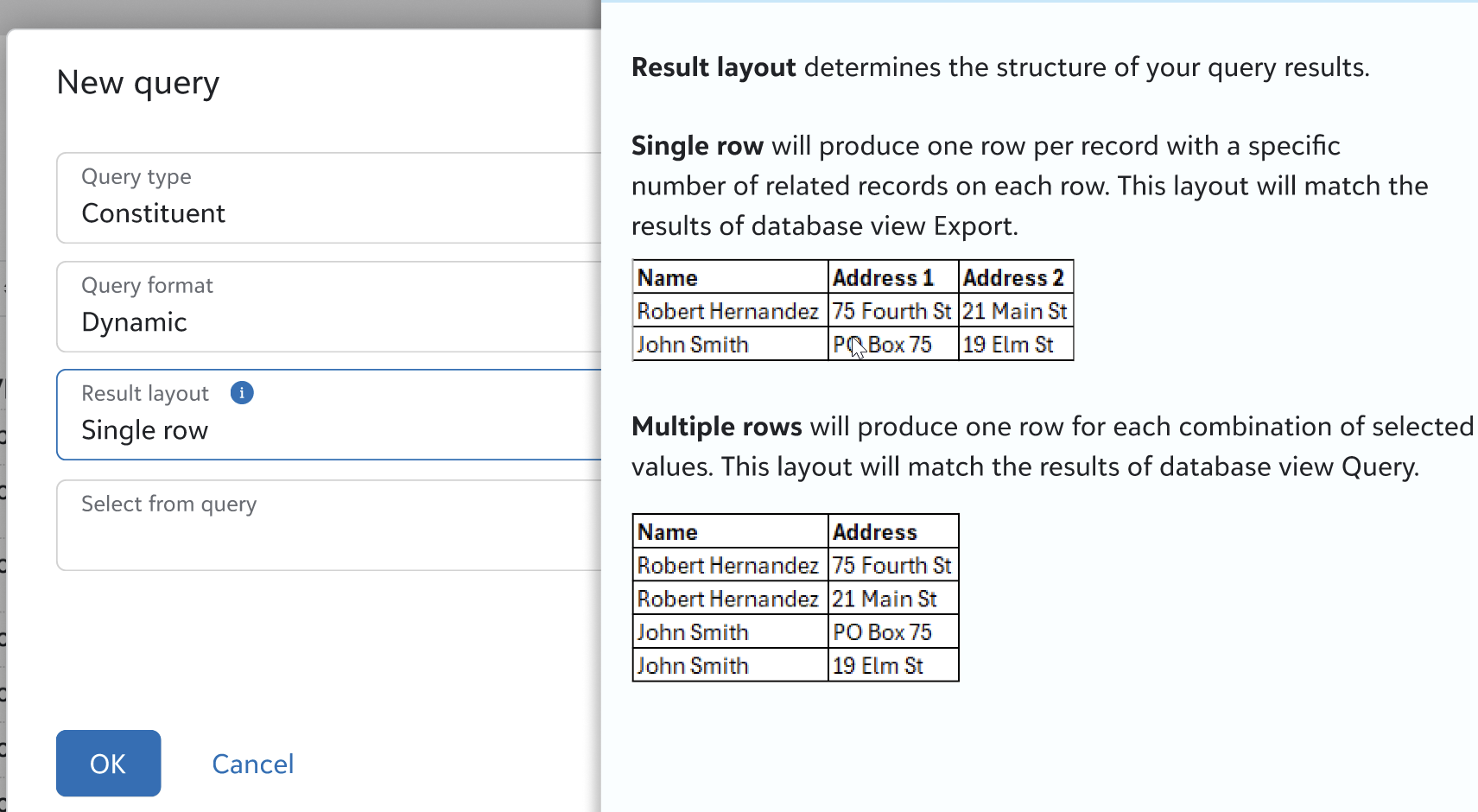
Single Row Query is our modern redesign of database view’s Export module. It appears as a result layout option in web view Query.
When you create a query, you’ll choose between:
- Multi-row layout (the traditional query format)
- Single-row layout (what you’ve known as Export)
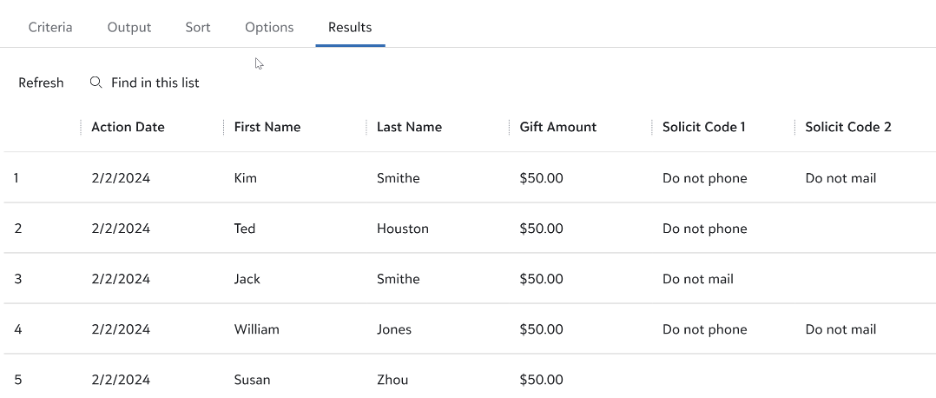
The single-row layout flattens one-to-many relationships (like addresses, phone numbers, or gifts) onto a single row per record. This means cleaner spreadsheets and fewer headaches when preparing files for mailings, imports, or analysis.
Sample results for a single row query:
Key Benefits
- Fewer Steps, Less Confusion: Everything happens in one workflow. Choose your layout; set your criteria, output, and sort fields; and you’re done.
- Consistency and Flexibility: No need to learn two different tools. Single Row Query uses the same interface as Query, so you can apply filters, sort results, and even preview data before exporting.
- Expanded Options: Because Single-row queries are still queries, you’ll also be able to include them in other capabilities. No need to run the export, then grab a separate query for a report. Just use the same query for both.
- Performance Improvements: Web view queries often process faster than traditional database view exports, and results can be run or downloaded asynchronously.
- API Access: Single-row queries will be available via API, enabling integrations with tools like Power BI and partner applications.
How Is It Different from Database View Export?
- Unified Experience: Instead of creating a query and then an export, you simply select “Single Row” as your result layout when building the query.
- Expanded Capabilities: You’ll have access to fields and features previously limited to database view Export, plus enhancements like working with results directly in the UI.
- Migration Support: We’re building a tool to help you migrate existing exports to web view single-row queries.
When can I start using it?
Development is underway now. We’re planning early adopter opportunities in early 2026. Stay tuned for announcements, demos, and more as we near release.
Will I still be able to use database view Export?
Yes, for now. We know many organizations rely on existing exports, so we’re keeping them available during the transition. Over time, we’ll provide tools and guidance to help you migrate to Single Row Query.
Will existing exports migrate automatically?
No, but we’re planning a bulk migration tool to help you convert existing exports into Single Row Queries. Stay tuned for updates on timing and availability.
Can I still use one export with multiple queries (or vice versa)?
Yes! Using “Select from” functionality, which exists on the Options tab of queries today, you can set the criteria on one query, then use a second query for output. With this approach, you can reference the same base query for multiple single-row queries as needed.
“New query” modal, where you can select the result layout and “Select from” query:
Next Steps for You