As we continue to build complete workflows in the unified view, we’re introducing ongoing enhancements inspired by your feedback. Based on ideas from the Idea Bank, we’ve improved General Ledger features so you can now reverse or unpost gifts and export both posted and unposted gifts to PDF.
Here’s what’s new:
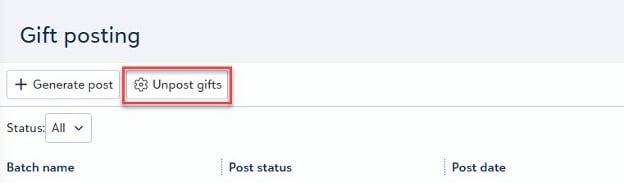
You can easily reverse a batch or unpost any gift in Raiser’s Edge NXT web view whenever needed. Previously, you could open any posted batch, but now you can also reverse it. Reversing a batch takes all queried entries and reverts them to an unposted state. Unpost gifts when you need to update specific posted gifts without reversing an entire batch. When you unpost gifts, the system reverses the entire query, regardless of the original batch, and restores all gifts in the query to their initial settings. There is no need for plugins anymore; we have developed this functionality directly into web view.
Exporting data is more flexible.
You can now export any posted or unposted batch to a PDF in addition to a CSV file. This update ensures you have a clear, reliable reporting option tailored to your needs. In database view, posting created two separate reports: the Posting Report and the Exception Report. In web view, these are now combined into one streamlined output. You’ll first see the General Ledger Report, followed immediately by the Exception Report, all in one file.
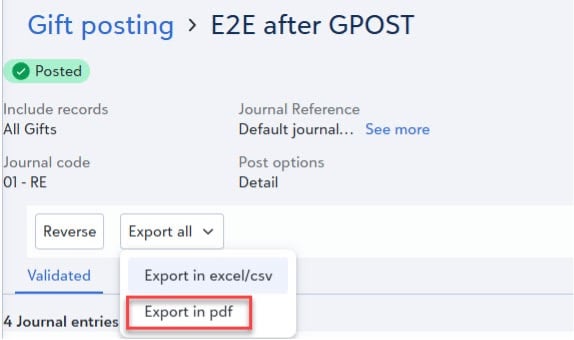
You can easily export reports at your convenience, making workflows simpler for you. Reports can now be generated before, during, or after posting, offering far more flexibility than database view. This change means you’re no longer limited to generating reports only during the posting process, giving you access to information whenever it’s needed.
These enhancements are designed with you in mind. Your input through the Idea Bank and direct feedback has been valuable, and we’re committed to prioritizing ideas that increase flexibility, efficiency, and usability across Raiser’s Edge NXT.