I'm excited to share that we enabled Send Solicitation Messages as an engagement option for our Development Agent.
As we worked through the setup, I noticed a few things that may be helpful for others to keep an eye on.
When given the option to use either a Blackbaud donation form or an external donation URL, I selected the Blackbaud donation form. The system automatically generated a new donation form and displayed a confirmation message indicating that the form had been created.
After reviewing the form, I found that:
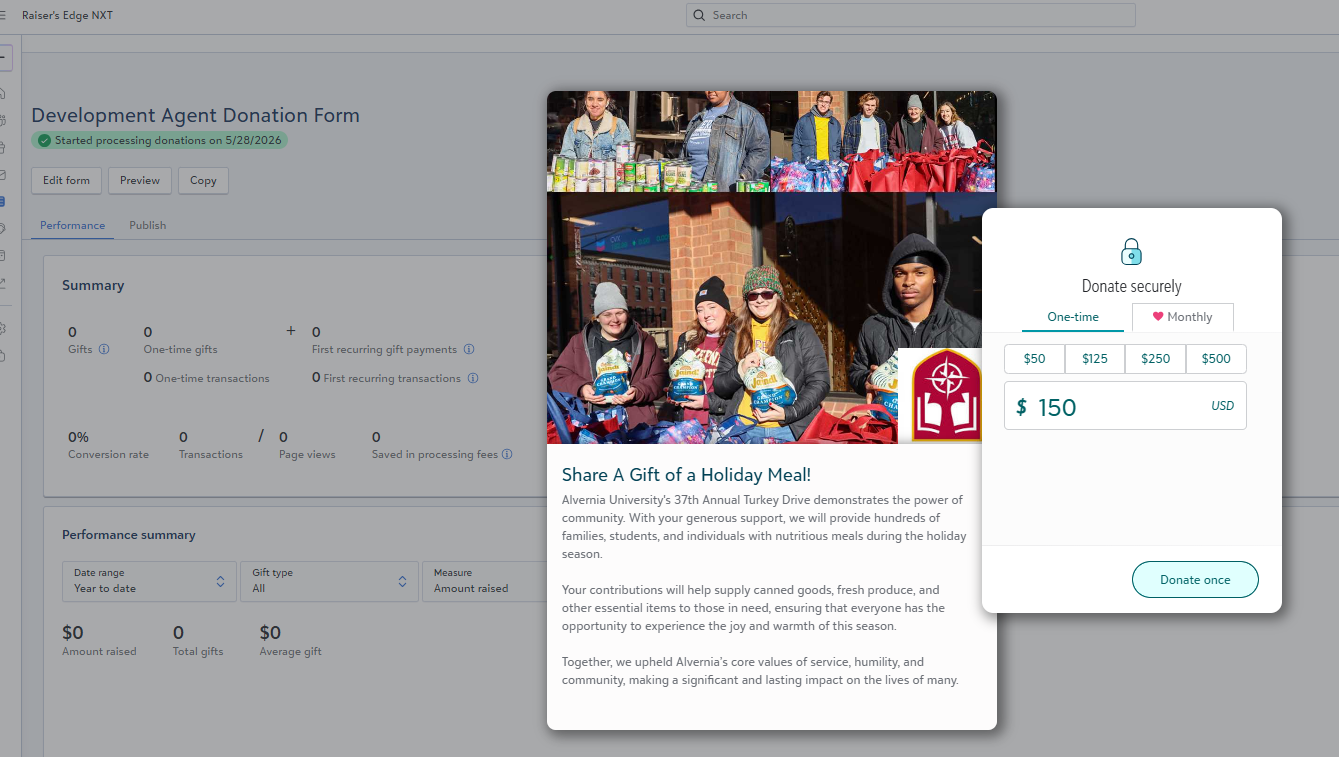
- The system created an Optimized Donation Form.
- The branding card selected for the form was our Annual Turkey Drive branding rather than our Hope Fund branding.
- The confirmation email contained generic placeholder content.
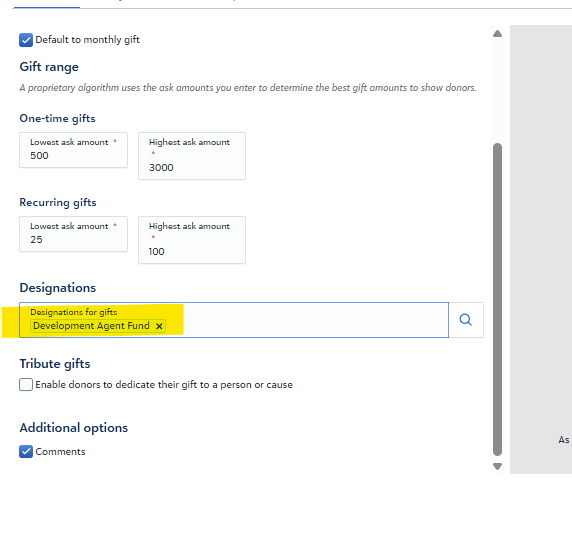
- A new fund designation called Development Agent Fund was automatically created and assigned to the form.
- A new appeal was also created.
I was able to update the branding card, confirmation email, and fund designation to align with our Hope Fund. I also added our standard hidden fields, including our Development Agent appeal tracking.
The creation of a new appeal makes sense to me from a tracking perspective. However, the automatic creation of a new fund is much more concerning. At our institution, funds represent donor intent and have financial and stewardship implications, so fund creation is a carefully managed process.
I've included screenshots showing the automatically generated fund and the branding card that was selected for the form.
@Stephen Churchill I'm not sure what the best long-term solution is, but it may be helpful if the setup process either:
- Prompted users to select an existing fund, appeal, and branding card before generating the form, or
- Included a reminder in the confirmation message that the generated form should be reviewed and updated before use.
Overall, we're excited to continue testing and learning, and I hope these observations help others as they begin exploring solicitation messages.