Who's impacted: potentially Admissions Managers, Enrollment managers, Academic Group managers, Platform managers
Previously, any user with the SKY reporting role would have access to one or more ("prescriptive" or "pre-configured") dashboards via 'Analyze' in the menu under Enrollment Management > Admissions or Contracts; Academics > Grading or Scheduling; Core > Users or Security or Communications.
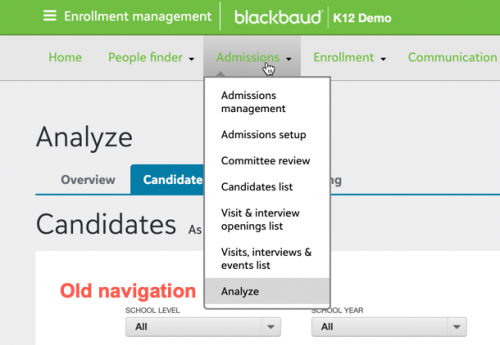
With the final release of the new dashboard builder, the Analyze menu navigation will be replaced by access to Analysis from the picker (under Faculty).
However, Analysis will only appear to users that are authenticated via Blackbaud ID.
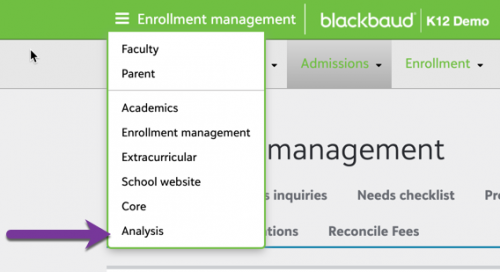 What this means:
In preparation: Make sure any of your users in the Sky reporting role are authenticating via Blackbaud ID instead of their existing username and password. For more info, start
here. This will provide continuity of access for your users who view dashboards,
When a user clicks on Analysis, they will land on the new Dashboard viewer page with a plus sign to open dashboards they can access. This includes the appropriate pre-configured dashboards they had access to via the SKY Reporting Role, PLUS any custom dashboards you have built with the new Dashboard builder and shared with them.
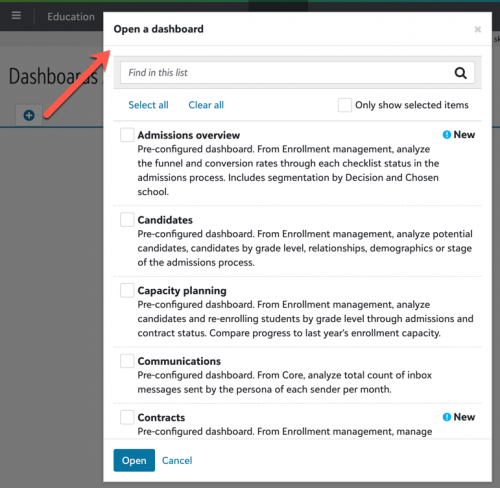 How does this transition work?
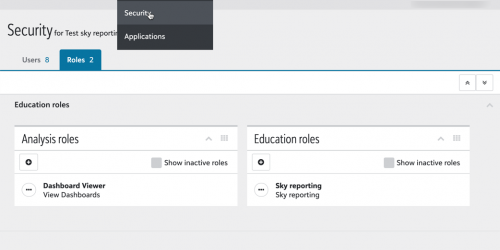
As an administrator under Education > Control panel > Security, you can add roles in the Education tile to configure access to selected pre-configured dashboards. With the general release, we will migrate roles based on any you have previously created in Core by cloning the base SKY reporting role.
Any user authenticating via Blackbaud ID will be assigned the appropriate role in the Education tile, as well as a role called Dashboard viewer in the Analysis tile, to preserve their access to view pre-configured dashboards.
 What about the SKY reporting role in Core?
This role will still exist to control access to lists available via drill-in to an insight on a dashboard. Only grant access to these lists for users that should see the detail behind your dashboard metrics, including identifying information about candidates or students.