Creating a student directory with photos

We would like to create in-house a simple pdf with our students' names, country and photo using the students' profile photos. Has anyone found a way to export or print the photos with the basic student information?.

Comments

  • Brian Gray
    Brian Gray Community All-Star
    Eighth Anniversary Kudos 5 K-12 Fall 2025 Product Update Briefing Badge Name Dropper
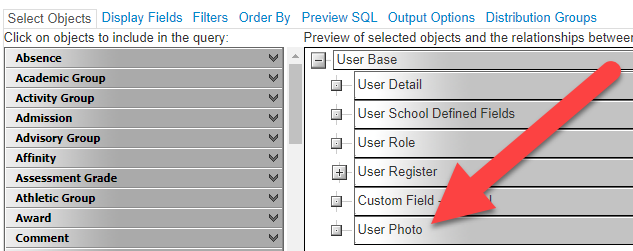
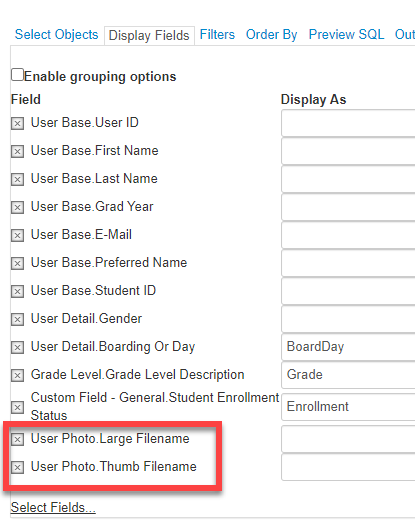
    It's possible to get the photo file names (large and small versions) from an advanced list. You can export that info (along with other fields for each user).


    The photo file names in the Advanced List are just the individual file names. You have to add them to the URL for images for your users. You can get the URL by going to any user's contact card and right-clicking on the photo. Choose "Copy Image Address" in the browser's context menu. The first part of that location URL will be the same for all user images, and can be used with the file name that comes from the report. (For example, my school's URL for an image is https://bbk12e1-cdn.myschoolcdn.com/ftpimages/00000/user/large_user_35abcdxyz.jpg)


    You would then have to use a Word Mail Merge or an ad hoc program to generate the PDF.
    Objects

    fields

  • Bryna Gleich
    Bryna Gleich Blackbaud Employee
    Tenth Anniversary Kudos 3 Name Dropper Participant
    Additionally, be sure to review the "gotchas" about printed directories:
    https://webfiles.blackbaud.com/files/support/helpfiles/education/k12/full-help/content/bb-core-create-edit-school-directories.html


    then select the drop downs for
    • Enable users to print a directory
    • Send a directory report to a third party printer
    They're listed as "notes" or "tips" in the help topic.
  • Thanks Brian, this is very helpful. I will have to look into this method. We figured there had to be some way to do this.
  • Thank you, Bryna.
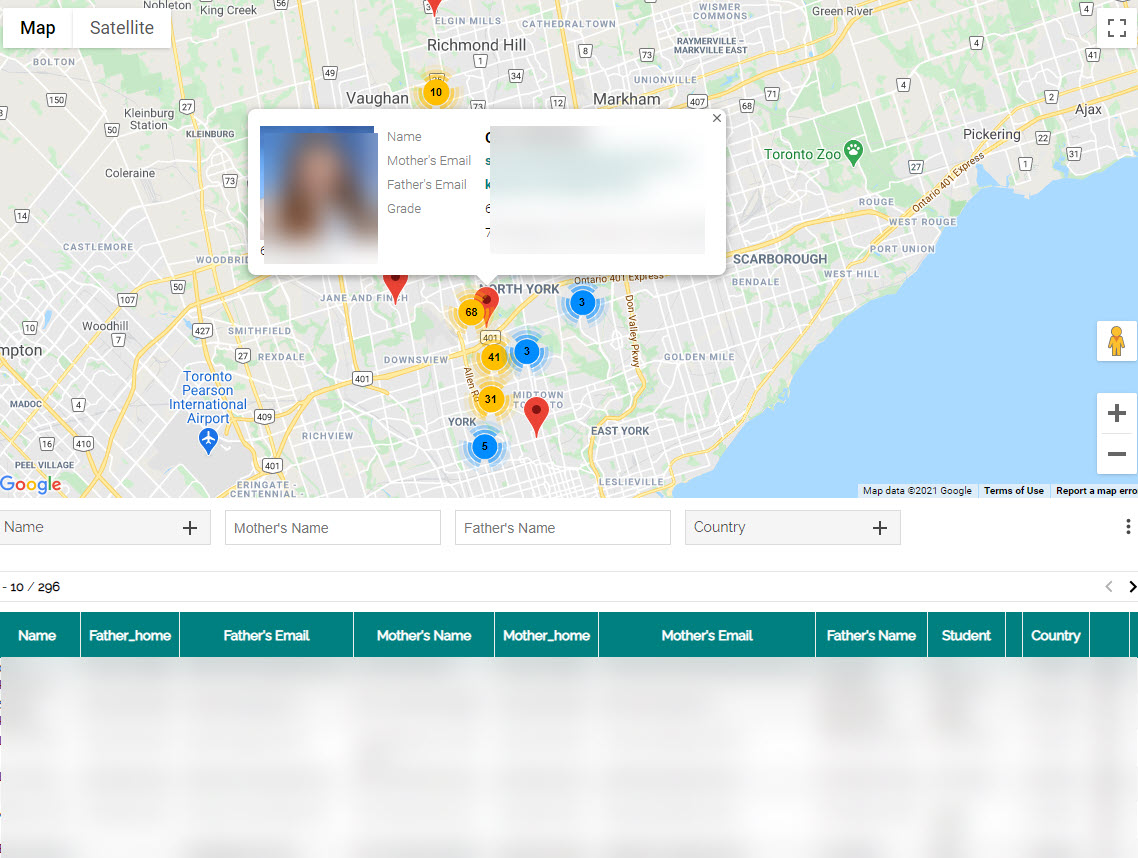
  • Linda, I may have responded to your question, but I didn't think I had. Using Awesome Table, we use a map which displays whatever information that we wish.


    Let me know if you have any interest in doing this as I'd be pleased to help.

  • Hi Brian. Thanks for telling me about Awesome Table! We will keep that in mind for next year when the directory issue comes up again.
  • Brian Gray WOW - this is super helpful! I didn't know about about the URL “prefix” but that was the missing piece for me. Thank you so very much.