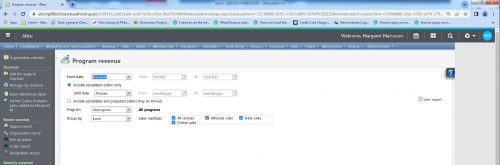
What is up with how Altru is displaying in Chrome?

Is anyone else having this issue? The screen doesn't always display correctly. When I have the window maximized, it's cutting off on the right hand side. Or if I zoom out in the browser, it's displaying a weird gray space on the right. I know this is not the biggest deal but it's giving me fits.

Cut off on the right:
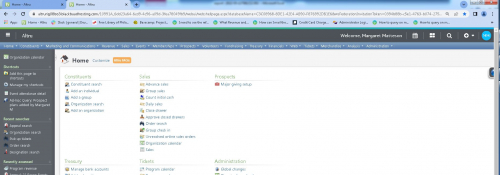
f114bba745a9f518646ff783f4a633c4-huge-20

Gray space on the right:

414361515bd34299ec142827b0c21d5e-huge-20

Comments

  • Tried to duplicate your problem but all ok here….

  • Hi Margaret,
    If this is an issue that you're still experiencing, I would recommend opening a case with support. Direct link to support can be found in the footer of every page here in community.

  • Having the same issue on our end. We were supposedly updated to Altru 5.25 last night, so likely the problem. I'll be submitting a ticket as well.

  • @Margaret Matteson We still have this issue- and it's inconsistent depending on browser/computer/account/phase of the moon. Having to scroll over to click “run report” everytime doesn't sound bad but when you're sitting and generating dozens of reports, it is really grating.

  • @Margaret Matteson reported the problem a couple of months ago and was told to use Microsoft Edge as the browser. No problems now.

Categories