Reporting on Qualifications/Disqualification in NXT Lists

I currently use Action Status of “Qualified” or “Disqualified” to for gift officers to track outcomes of visits. In Lists, I can only see the ability to Filter on “Open” “Complete” or “Past Due”. Is there a way to open this filter? Alternatively, does anyone use Action Type for this instead?


Comments

  • Hallie Guiseppe
    Hallie Guiseppe Community All-Star
    Sixth Anniversary Kudos 5 Name Dropper Participant

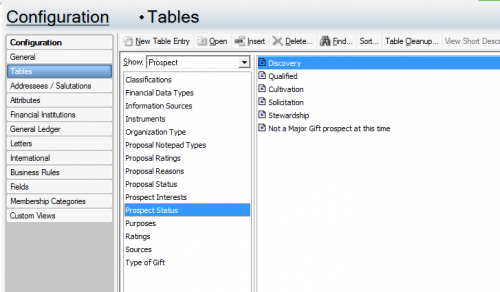
    @Stacey Pape: Hi Stacey, I think you might benefit from customizing your Action Status table. You can do this in database view Configuration/Tables/Action Status.

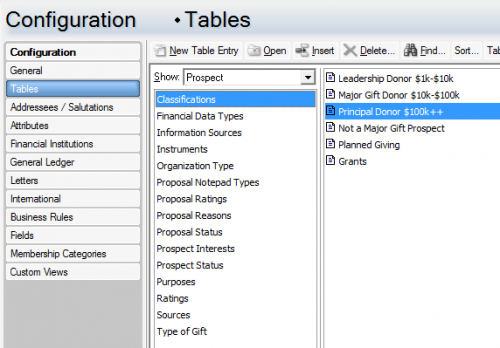
    At our organization, we use the prospect management tile (also set up in database view) to classify our prospects. In our case we use the following table to help our gift officers distinguish between prospects.

    319610205ae0484f26a25357d109d50f-huge-im
    7238d9008d6a8f74a21cb7e662a1c2bc-huge-im

    I currently use Action Status of “Qualified” or “Disqualified” to for gift officers to track outcomes of visits. In Lists, I can only see the ability to Filter on “Open” “Complete” or “Past Due”. Is there a way to open this filter? Alternatively, does anyone use Action Type for this instead?
  • Karen Diener
    Karen Diener Community All-Star
    Tenth Anniversary Kudos 5 First Reply Name Dropper

    @Stacey Pape Hallie has some good suggestions, but I would also check settings in webview.

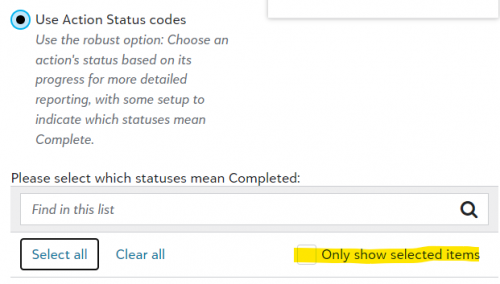
    If you are using the Status field to indicate whether or not an action is complete, you may need to uncheck the box as indicated in the screenshot:

    3d74b90c395fbce10d701411f258c899-huge-im

    This is found when clicking the gear icon in the upper right corner of the Action tile. You can access it from any constituent record.

    Let us know what you find! I'd hate to lead you astray, but it definitely could be a combination of issues!

    Karen