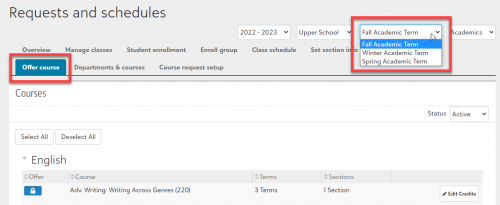
We have decided not to offer a course next term and the blue lock will not let me un-offer it. I have deleted all sections and it has zero course requests. Does anyone have a tip to help me? Thanks!
@Catherine Druhan - on the Offer Courses tab, check the term selector near the top of the page. You must have the correct term selected here for the course to be offered or un-offered, but it sometimes resets itself to the first term or current term when switching from one page to another.
@Brian Gray Thank you, I had to delete the course request from each individual student that selected it. I had previously just denied the requests.
@Catherine Druhan Hello! I am looking to see if there was a solution to deleting course requests (with the blue lock icon) in order to unoffer a course? Thanks!