Best way to report on faculty children

Hi all,

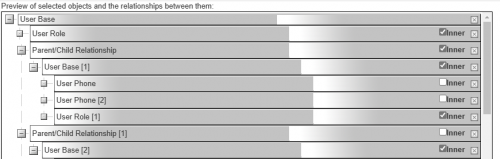
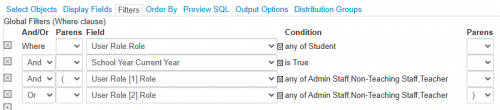
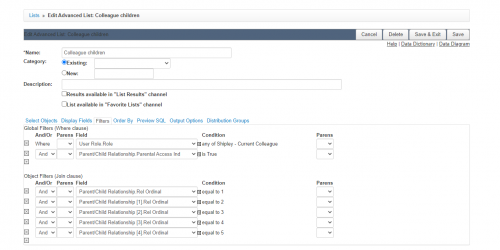
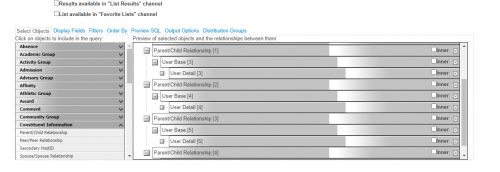
How do you report on faculty children? Right now I have an advanced list in core that pulls parent/child relationship > User base > user detail. And I repeat that 6 times for each potential child. Is there an easier/better way to do this? Under object filters, I also have to pull Parent/Child Relationship Ordinal = 1, 2, 2, etc.
1c914b8b0fb55906b978d375bc50bf87-huge-im

429fc9b083b1001bca227c2f7eaa35fe-huge-im

Comments

  • @Ashley Foltiny,

    Not exactly sure what you're after here and I can't quite make out your screenshots.

    But to get all students who have faculty parents, I'd use an advanced list as follows:

    • in the Select objects, I'd have:
      • user base - the child
        • user role
        • parent/child relationship
          • user base[1] - this is the parent object
            • Employee - employee employment [the parent's employment]
    • in the Filter tab, I'd have something like:
      • employee employment.end date is null
      • user role is “student”


  • 7374c9a0a8de70740ec46c5de853497d-huge-im
    854cc3bfbc6b56a6dd3b74e42d6769fe-huge-im

    @Ashley Foltiny Similar to John Rohan I start with student and go to parent. Then check if parent has employee role.


  • @Ashley Foltiny we cheated and created an Admin view only field called “Student of Faculty/Staff" - yes. This way we can use in our basic lists. This is set up when a faculty's child applies so we can use during enrollment also. I got frustrated with Advance lists!!!

  • @Kathy Hannon my people! I always get frustrated with advanced lists. Great idea!

Categories