Edit: disregard for now, figured out why this is happening with BB suppport
Hi, we have two campuses that follow the same grading set up and schedule (2 semesters divided into 4 total quarters).
One of the schools has Semester grades populating correctly; the other does not. I am looking in Report Card set up for both of them and see different things:
Both have identical panels:

But the difference is in clicking the Semester grade,
Correctly populating Semester grades in report cards:
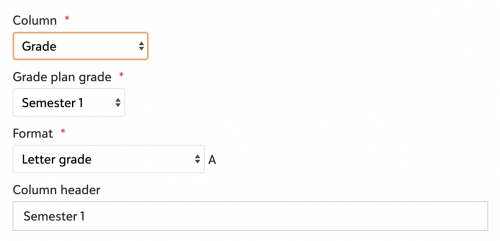 No extra “grade plan” option to the right
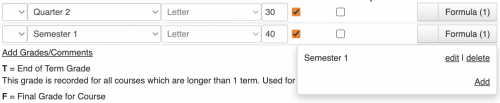 In grading set up for the above/correct school
Not populating Semester grades, and shows only options for quarters:
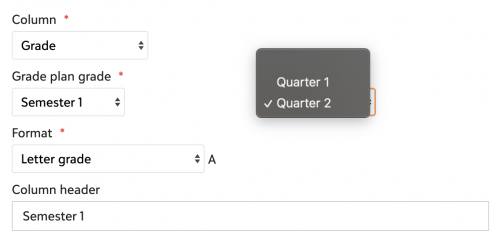 Says ‘Grade plan’ under the Quarter 1 2 box--it's blank in the first image, but this one makes me pull from one of the quarter grades
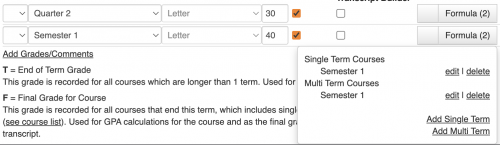 Grading setup is different and don't know how to “get rid of" single term/multi term options since the first setup was blank and populated correctly
Does anyone know where the difference is coming from? I tried looking at Core school year setup, grade plans, grade plan groups, but for they are the same for me.
For some reason having those extra single/multi term options in the second is making it not populate correctly and in report card setup have to “choose” a quarter grade (both Semester grade setups are set to calculate an average of Q1 + Q2), only the first school is “simpler” and doesn't have grade plan option making it populate correctly for some reason.
Any help would be appreciated…scratching my head over this!