Email on query not appearing on send list
Trying to solve an OLX mystery.
I have a donor who is reporting not receiving emails that are sent out via OLX. I have checked the query used to send communications and have verified that he is included in that query. However, when the send occurs, the email disappears from the send list.
I created a test group using an attribute. He pulls on that query with no issue (and is the only current constituent in that query). However when using that query as a send list, it once again seems to remove him and I'm told the message has no valid recipients.
From looking in the Knowledge Base, the constituent record isn't opted out, the email type is the same as all other recipients in the list, and is isn't marked as DNC or deceased. The email doesn't show up on any unusable email lists either.
Has anyone ever seen anything like that before?
Comments
-
@Adam Stobart - Welcome to BB Community! It sounds like the email address maybe blocked by Blackbaud servers. I recommend you contact support, they should be able to create a case that will look into this for you. The last time I had this happen, they directed me to another team that was able to tell me if the specific email was blacklisted or not.
3 -
@Adam Stobart
We don't use Online Express to send email, so maybe out of line for me here, but here are all places that MAY trip you over for sending email (some of which you already mentioned):- constituent inactive flag
- constituent deceased flag
- constituent consent
- constituent “Request no email” flag
- constituent individual email's DNC flag
- constituent individual email's inactive flag
may also want to “left/right arrow” through each characters, sometime when email address are put in (mostly due to copy and paste if done manually), an “invisible” character may be copied that makes Online Express think it is not a good valid email address. when you “arrow” key over each character, if the typing cursor does not move to next character, then you know there's an invisible character you need to delete.
3 -
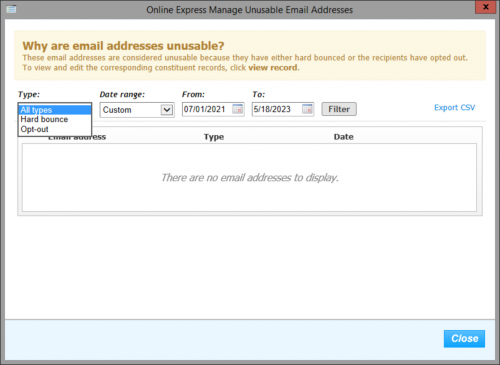
@Adam Stobart Have you accessed the Unusable emails when you are in OLX Marketing area? You probably have, however, if not, you will see a button named Unusable emails. Open it and set a date range (if you typically download appeal tags into RE records, make sure your range includes the last date the constituent received anything). You can download the list and search for that email. You can search for just bounces, just opt-outs or all. Hope this helps you out!
0 -
@Austen Brown
Hi Austen, This happened to us. Did you figure a way to have them removed from that list?0
Categories
- All Categories
- 6 Blackbaud Community Help
- 210 bbcon®
- 1.4K Blackbaud Altru®
- 395 Blackbaud Award Management™ and Blackbaud Stewardship Management™
- 1.1K Blackbaud CRM™ and Blackbaud Internet Solutions™
- 15 donorCentrics®
- 360 Blackbaud eTapestry®
- 2.5K Blackbaud Financial Edge NXT®
- 649 Blackbaud Grantmaking™
- 567 Blackbaud Education Management Solutions for Higher Education
- 3.2K Blackbaud Education Management Solutions for K-12 Schools
- 937 Blackbaud Luminate Online® and Blackbaud TeamRaiser®
- 84 JustGiving® from Blackbaud®
- 6.5K Blackbaud Raiser's Edge NXT®
- 3.7K SKY Developer
- 247 ResearchPoint™
- 119 Blackbaud Tuition Management™
- 165 Organizational Best Practices
- 239 The Tap (Just for Fun)
- 33 Blackbaud Community Challenges
- 31 PowerUp Challenges
- 3 (Open) PowerUp Challenge: Data Health
- 3 (Closed) Raiser's Edge NXT PowerUp Challenge: Product Update Briefing
- 3 (Closed) Raiser's Edge NXT PowerUp Challenge: Standard Reports+
- 3 (Closed) Raiser's Edge NXT PowerUp Challenge: Email Marketing
- 3 (Closed) Raiser's Edge NXT PowerUp Challenge: Gift Management
- 4 (Closed) Raiser's Edge NXT PowerUp Challenge: Event Management
- 3 (Closed) Raiser's Edge NXT PowerUp Challenge: Home Page
- 4 (Closed) Raiser's Edge NXT PowerUp Challenge: Standard Reports
- 4 (Closed) Raiser's Edge NXT PowerUp Challenge: Query
- 785 Community News
- 2.9K Jobs Board
- 53 Blackbaud SKY® Reporting Announcements
- 47 Blackbaud CRM Higher Ed Product Advisory Group (HE PAG)
- 19 Blackbaud CRM Product Advisory Group (BBCRM PAG)