Edit - figured it out, in Grading Setup changing the ‘T’ to ‘F’ worked and the grade input boxes are showing up again, no error message. This is resolved!
Though I'm still not too sure the difference between T and F (besides knowing one is used for multi-terms I believe?) and why it does that; any insight or explanation on the differences would be helpful, thank you.
---
Hello,
I first noticed an issue when impersonating teachers and not seeing students under Grading in their faculty page (I see them in the class Gradebook/Roster though):
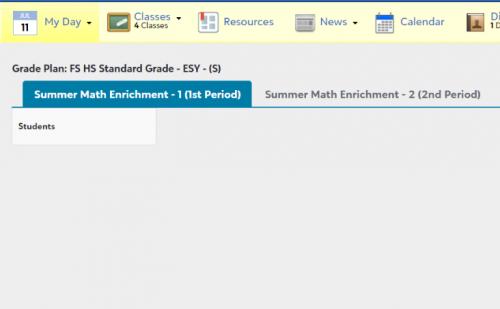
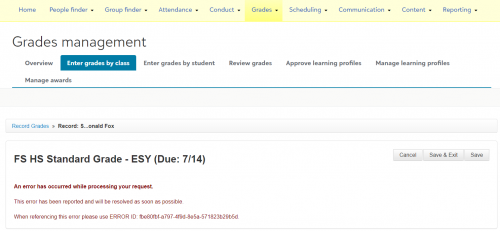
Then when I went to see if I could input grades on my end via Grades Management, this error pops up which is the first time I've seen it:
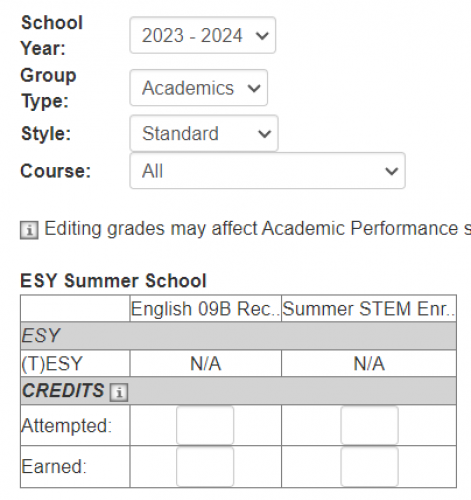
Additionally, it shows up as N/A when I go to Enter Grades by Student
Any insight or advice on what this error means or what could be causing it would be appreciated, thank you!
The message:
An error has occurred while processing your request.
This error has been reported and will be resolved as soon as possible.
When referencing this error please use ERROR ID: fbe80fbf-a797-4f9d-8e5a-571823b29b5d.