Conditional Mail Merge



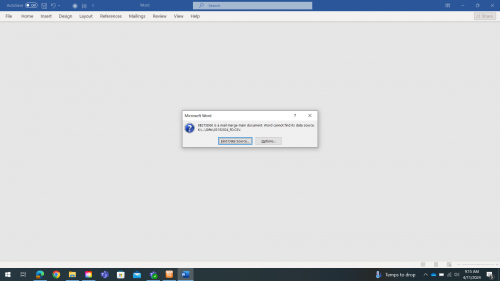
Hello, all! We have been working with a Conditional Mail Merge for a few years now and, with Blackbaud's instructions, it's worked really well. However, recently, some of my new co-workers got new laptops and it no longer works for them (but still works for me). The Dialogue Box with “Word Cannot find its data source” appears for them. Clicking on it and selecting one of the two options does not get us to the mail merge, either. We have tried to troubleshoot and have even tried rebuilding the mail merge from scratch, but nothing helps. Has anyone else encountered this? Does anyone have any suggestions for what we could try to do to fix the merge?
Comments
-
@Elizabeth Lea Since it works for you and not others, I wonder if this is more related to Drives and/or version of Microsoft tools than it is RE.
4 -
@Elizabeth Lea If it says it can't find the data source, i think it means that the document containing the information you want to merge into the letters isn't being found. Maybe try saving the word documents and exports in new locations and make sure that they are saved as compatible with whatever Word version they are running.
5 -
@Elizabeth Lea
I recently received a new laptop and had to reset to new path drives for mail merging.3 -
@Elizabeth Lea, as Whitney mentioned, the users will likely need to remap the path to the document. I also had to change the file mapping within the conditional merge document so that it found the new files.
1 -
Thank you everyone for your suggestions!! The problem ended up getting solved by switching word files from the .docx to the old .doc format.
0












Categories
- All Categories
- New K-12 Community Home (TEST)
- New Higher Education Home Page (Test)
- New Impact Edge Community TEST
- New YourCause Community TEST
- New SKY Community TEST
- New Grantmaking TEST Community
- New Altru Test Community
- New bbcon Community - TEST
- 12 Blackbaud Agents for Good™
- New Raiser's Edge NXT Community
- 8 Blackbaud Community Help
- 222 bbcon®
- 1.4K Blackbaud Altru®
- 411 Blackbaud Award Management™ and Blackbaud Stewardship Management™
- 1.2K Blackbaud CRM™ and Blackbaud Internet Solutions™
- 16 donorCentrics®
- 361 Blackbaud eTapestry®
- 2.7K Blackbaud Financial Edge NXT®
- 687 Blackbaud Grantmaking™
- 604 Blackbaud Education Management Solutions for Higher Education
- 3.3K Blackbaud Education Management Solutions for K-12 Schools
- 954 Blackbaud Luminate Online® and Blackbaud TeamRaiser®
- 85 JustGiving® from Blackbaud®
- 7K Blackbaud Raiser's Edge NXT®
- 4K SKY Developer
- 258 ResearchPoint™
- 123 Blackbaud Tuition Management™
- 165 Organizational Best Practices
- 248 Member Lounge (Just for Fun)
- 40 Blackbaud Community Challenges
- 37 PowerUp Challenges
- 3 (Closed) PowerUp Challenge: Grid View Batch
- 3 (Closed) PowerUp Challenge: Chat for Blackbaud AI
- 3 (Closed) PowerUp Challenge: Data Health
- 3 (Closed) Raiser's Edge NXT PowerUp Challenge: Product Update Briefing
- 3 (Closed) Raiser's Edge NXT PowerUp Challenge: Standard Reports+
- 3 (Closed) Raiser's Edge NXT PowerUp Challenge: Email Marketing
- 3 (Closed) Raiser's Edge NXT PowerUp Challenge: Gift Management
- 4 (Closed) Raiser's Edge NXT PowerUp Challenge: Event Management
- 3 (Closed) Raiser's Edge NXT PowerUp Challenge: Home Page
- 4 (Closed) Raiser's Edge NXT PowerUp Challenge: Standard Reports
- 4 (Closed) Raiser's Edge NXT PowerUp Challenge: Query
- 829 Community News
- 3.1K Jobs Board
- 57 Blackbaud SKY® Reporting Announcements
- 47 Blackbaud CRM Higher Ed Product Advisory Group (HE PAG)
- 19 Blackbaud CRM Product Advisory Group (BBCRM PAG)