Hi Everyone -
My name is Mike and I'm one of the Product Managers working on the Education Management suite of products. Today, I wanted to quickly give some updates and provide some transparency on a few defects that have arisen in the last couple of weeks.
Gradebook Grades List Sometimes Doesn't Load
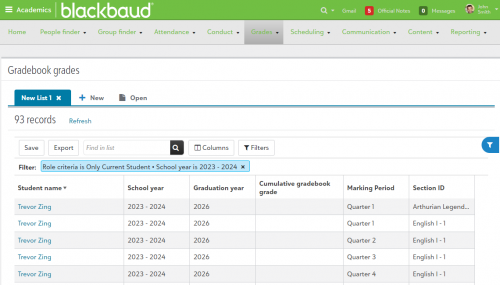
The first issue has to do with the Gradebook Grades List and how it will sometimes just display a pulsing green orb. The issue has to do with how that list fetches data. The reason for the orb is because the list is trying to pull all of the potential data that can display in the view at one time, even if you're choosing to not display certain datapoints. In particular, the datapoints for non-Academic group types is what is causing the timeout to occur. As the school year progresses, that list is needing to pull more and more data, which is resulting in longer load times and eventually timeouts.
To address this, we've implemented a longer timeout period, but depending on the amount of grade data at your school, you may still see this list timeout. In order to implement a complete fix, we'll need to better optimize how the list is fetching data and that may take some time. We have another round of research looking into this issue in the near future and are hoping to have more information once that is concluded. If your school is encountering this issue, submitting a case to our Support team will ensure you're linked to the internal defect and notified once a fix has gone live.
In the meantime, the best workaround is to construct an Advance List to pull Gradebook Grade information. We also have a template to help you get started with this kind of list and more directions can be found here: List of Gradebook Cumulative Grades by Marking Period (blackbaud.com)
Assignment Submitted Timestamps Sometimes Display Incorrectly On Evaluation Page
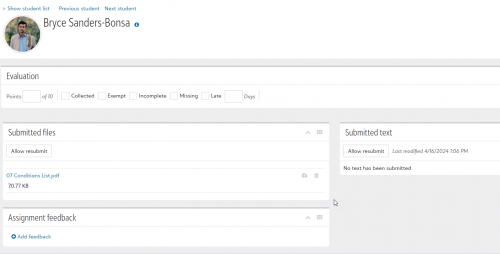
If your school finds itself outside of Eastern Time, you may have noticed the timestamp on the assignment evaluation page is incorrect. This is because the setting that displays time on this specific view is incorrectly looking at ‘server time' which is always Eastern. The Gradebook and the assignment screen students use to submit are correctly looking at the ‘Hours from server’ setting and adjusting the timestamps accordingly.
A fix for this issue will be going live next Tuesday. In the meantime, if a school is outside Eastern Time, looking at the timestamp in the Gradebook will correctly display when the student submitted their work. To see this, simply hover your cursor over the submission icon (Blue or Yellow inbox icon).
Student Assignment File Box Sometimes Doesn't Load When Using Google Drive
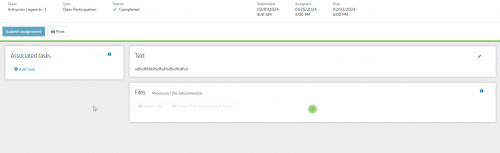
Students can sometimes find themselves with a pulsing green dot when navigating to an assignment page that requires a file to be submitted. This most often happens when the Google Drive integration is enabled. There's a process that is trying to load the integration into the File submission box and it doesn't always load correctly. This results in the student seeing a pulsing green dot when viewing the File box.
For this issue, refreshing the page will often trigger the box to load properly. We're actively investigating this issue now and are hoping to have a resolution released in the near future. We don't have a specific timeline to relay for this issue, but if you have seen this, feel free to submit a case to Support. They'll make sure your case is linked to the defect that way you are notified when the fix is deployed.
We know defects can cause frustration, especially when they affect faculty and students. We're working through these issues and will do our best to get you fixes as soon as we're able!
-Mike